The easiest way to find broken links on your website is to let a checker open every page and test each link for you. Enter one page address to check just that page, or start a crawl to scan the whole site. You get a list of dead links, redirects and links to check by hand, each with the pages it sits on and a hint on how to fix it.
What is a broken link?
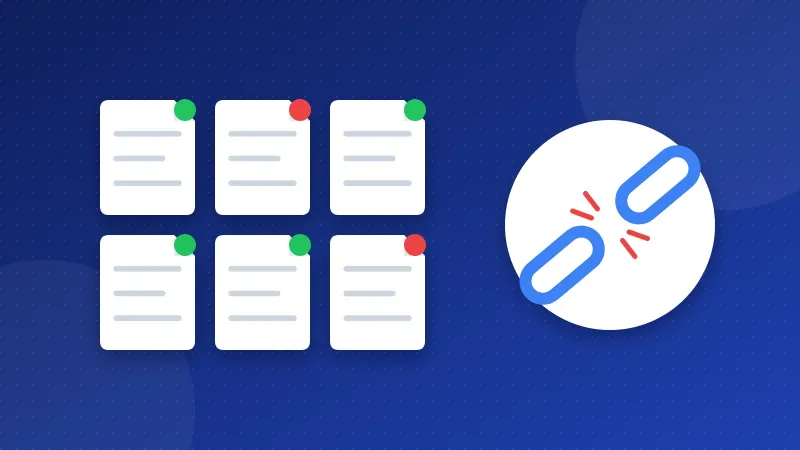
A broken link points to an address that no longer works. A visitor clicks it and gets an error page instead of what they wanted. The same thing happens to images, scripts and style sheets: if the file is gone, the picture is missing or the page looks wrong.
Links break for plain reasons. You renamed a post, moved a page, deleted an old image, or another site shut down. A typo in a link breaks it from day one. Over the years, almost every site collects a few.
Broken links annoy visitors, and they waste the time search engine bots spend on your site. Google does not punish a site for having a few dead links. But a page full of them looks unloved, and an important page that nobody can reach does not help anyone.
What the Broken Link Checker looks at
The checker reads each page and tests every link, image, script and stylesheet it finds there. It checks internal links (to your own pages) and external links (to other sites). When you crawl, it follows links on the same host from page to page, so it reaches pages your menu does not show.
Each result falls into one of three groups:
| Group | What the server said | What it means |
|---|---|---|
| Broken | 404, 410, 5xx, domain not found, timeout | The target does not work. Fix these first. |
| Redirect | 301 or 302 | The link still works but takes a detour. You see the final address and every step on the way. |
| Check by hand | 403 or 429 | The server refused to answer the checker. The page may be fine for people. |
A quick word on the codes. 404 means "not found". 410 means "gone for good". A 5xx code means the other server had an error. "Domain not found" means the site name no longer exists, and a timeout means the server did not answer in time.
How do you find broken links on your website?
- Enter an address. Use your homepage for a full scan, or one post to check a single page.
- Pick the mode. Choose "this page only" for a quick check, or crawl the site to follow links on the same host.
- Read the broken list first. Each broken target shows up once, with every page it was found on and the link text used there.
- Look at the redirects. Update links that go through a long chain so they point straight to the final address.
- Open the "check by hand" links in your browser. If they load for you, leave them alone.
- Export the CSV if you want a to-do list in a spreadsheet.
Because each broken address appears only once, a dead link in your footer or sidebar does not fill the report with hundreds of rows. You see one entry and the list of pages it affects.
How to fix each broken link
The tool gives a fix hint for every broken target. There are only three real choices.
Update the link
This is the best fix when the page still exists at a new address. Edit the post or template and paste the right URL. If the link is in a menu, footer or sidebar, one change fixes it on every page.
Add a 301 redirect
Use this when you moved or renamed one of your own pages. A 301 redirect sends people and search engines from the old address to the new one, so links from other sites keep working too. The .htaccess redirect generator writes the rule for Apache and LiteSpeed hosts.
Remove the link
Do this when the target is gone for good and there is no good replacement. For an external link, you can also look for a newer page on the same topic. For a missing image, upload it again or take the image tag out.
Why fix redirects that still work?
A redirect is not an error, so it is not urgent. Still, each hop adds a little wait for the visitor. A chain of two or three redirects, for example http to https, then to www, then to a new slug, is slow and easy to break later.
Google follows redirects, but each extra hop is one more thing that can break later. The simple fix is to change your link to the final address the checker shows. Links from your own pages are the easiest to clean up, because you control them.
One common chain is an old http:// link inside a post. Change it to https:// and you also avoid mixed content warnings. Our mixed content checker finds files that still load over http://.
Why some links say "check by hand"
Some sites block automatic checkers. They answer with 403 ("forbidden") or 429 ("too many requests") even when the page works fine in a browser. Big social networks and shops often do this.
Calling those links broken would be wrong, so the tool puts them in their own group. Open each one yourself. If it loads, the link is fine. If you also get an error, treat it like a broken link.
When I ran the Bloghints web directory, I checked listings and their links by hand. It was slow work, and a checker that lists the dead ones for you saves most of that time.
How often should you check?
A small blog does fine with a full scan every few months, and after any big change. Run it after you move to a new theme, change your link style, delete old posts or move to https. Check single new posts right after you publish them.
Broken links are one of the checks in our Website SEO Checkup. If the checkup flagged them, the guide to fixing Website SEO Checkup errors explains what each warning means.
A few dead links will not sink your site, but they make it feel neglected. Set aside half an hour, find broken links on your website with this checker, fix the worst ones, and repeat when you change something big.
Frequently asked questions
Do broken links hurt SEO?
A few broken links do not cause a penalty. They do waste visits, and a broken internal link can hide a page from search engine bots. Fixing them is mainly good care for your visitors.
Why does a link work in my browser but show 403 here?
Some servers block automatic checkers and answer with 403 or 429. That is why the tool marks those links as "check by hand" and not as broken. If the page loads for you, the link is fine.
Should I fix a 301 redirect or leave it?
A 301 still works, so it is not urgent. For links on your own pages, it is better to point straight to the final address. This saves a step for every visitor and keeps redirect chains short.