To check website security headers, enter a domain and this tool tests the home page for HTTPS, the redirect from http:// to https://, HSTS and five security headers. It gives the site a Security Level from 0 to 2, explains every line in plain words and links each missing header to the generator that writes it. It is the same check behind the Security Level on Bloghints Services listings.
What the Security Level means
| Level | What the site needs |
|---|---|
| 0 | At least one Level 1 check fails |
| 1 | Valid HTTPS, http:// sends visitors to https://, and HSTS with a max-age of at least 6 months |
| 2 | Everything in Level 1, plus at least 4 of the 5 security headers below |
The levels are deliberately simple. They do not test passwords, plugins or server software, and no outside check can say a site is safe. They show whether the basic protections that every browser supports are switched on, which is something a visitor, a customer or a partner can check in seconds.
The checks, one by one
- HTTPS. The site answers over https:// with a valid certificate. The tool also shows how many days are left before it expires.
- http:// to https://. Someone who types the old address, or follows an old link, lands on the secure page.
- HSTS (Strict-Transport-Security). Tells the browser to use HTTPS for your site even if a link says http://. Level 1 needs a
max-ageof at least 15,552,000 seconds (180 days); one year, 31,536,000, is common. - Content-Security-Policy. Lists where scripts, styles and frames may load from, which limits the damage of injected code.
- X-Content-Type-Options: nosniff. Stops the browser from guessing file types, so an uploaded file cannot be run as a script.
- X-Frame-Options or frame-ancestors. Stops other sites from showing yours inside a frame to trick visitors into clicks.
- Referrer-Policy. Controls how much of your address is passed to other sites when a visitor clicks a link.
- Permissions-Policy. Turns off browser features the site does not use, such as the camera or location.
How to check website security headers and fix what is missing
- Enter the domain, for example
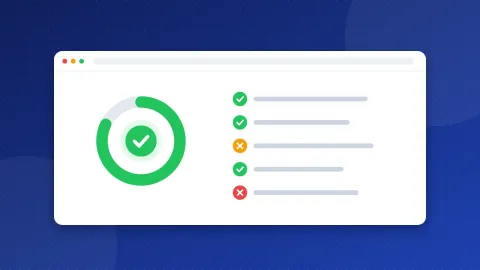
example.com, and click "Check security". - Read the level and the table. Green lines pass, orange lines are missing headers, red lines are Level 1 failures.
- Follow "What to do next". Each step names the fix. "Make this header" opens the Security Headers Generator, which writes the lines for Apache (.htaccess), Nginx or a PHP header call.
- Fix Level 1 first. Turn on HTTPS (most hosts offer a free Let's Encrypt certificate), add the 301 redirect with the .htaccess Redirect Generator, then add HSTS once every page works over https://.
- Add the headers one at a time and test the site after each. Content-Security-Policy is the one most likely to break something, so start it in report-only mode.
- Check again. The result changes as soon as the server sends the new headers.
With PRO you can check up to 25 domains at once and download the results as CSV, which helps when you look after several sites or compare suppliers.
A header set that reaches Level 2
This is a common starting point for an Apache or LiteSpeed server, written into .htaccess. It sends all five headers plus HSTS:
Header always set Strict-Transport-Security "max-age=31536000"
Header always set X-Content-Type-Options "nosniff"
Header always set X-Frame-Options "SAMEORIGIN"
Header always set Referrer-Policy "strict-origin-when-cross-origin"
Header always set Permissions-Policy "camera=(), microphone=(), geolocation=()"
Header always set Content-Security-Policy-Report-Only "default-src 'self'"
The last line only reports problems and blocks nothing, so it is safe to start with. It does not count for Level 2 yet: when the browser console shows no reports for your own pages, change it to Content-Security-Policy and add the outside sources you really use, such as your analytics or font provider. Four of the five headers are already enough for Level 2, so you can reach it before your Content-Security-Policy is finished.
Do security headers help SEO?
HTTPS is a light ranking signal in Google, and browsers mark http:// pages "Not secure", which costs trust and clicks. The other headers are not ranking factors. They protect your visitors and your forms, and they show that someone looks after the site. That is reason enough, but do not expect a ranking jump from adding them.
One warning about HSTS: once a browser has seen it, it refuses http:// for your site until the max-age runs out. Add it only when HTTPS works on every page and subdomain you cover. Add includeSubDomains only if all subdomains have HTTPS too.
Security Level on Bloghints Services
Businesses listed in the Bloghints Services directory show the same Security Level as a small shield. It is free and cannot be bought. The level is checked again every week, and a listing loses it only after two failed checks in a row, so a short server problem does not remove it. If your listing shows no shield, run this checker, fix the lines it marks, and the next weekly check picks up the change.
Check website security headers again after every hosting move, CDN change or new plugin, because those are the moments headers quietly disappear.
Frequently asked questions
Why does my site fail HSTS when it has HTTPS?
HTTPS and HSTS are separate. HTTPS encrypts the connection; HSTS is a header that tells browsers to always use it. Add Strict-Transport-Security: max-age=31536000 once every page works over https://.
Does this checker test my whole site?
No. It tests the home page and the http:// to https:// redirect for that domain. Headers are usually set for the whole site, but a page served by another system, such as a shop or a forum, can differ.
Can a Security Level 2 site still be hacked?
Yes. The level shows that browser protections are switched on. It does not check passwords, plugins, updates or the server itself, so keep those up to date as well.