This XML sitemap generator builds a sitemap.xml file that Google and Bing can read, in one of two ways. "Crawl my site" starts at your homepage and follows your links to find your pages. "Paste a list" turns a list of addresses you already have into a clean file. Either way, you get the file, the robots.txt line and the steps to submit it.
What is an XML sitemap?
An XML sitemap is a file that lists the pages you want search engines to find. It does not push a page into Google, but it helps crawlers find new and deep pages sooner. That matters most for new sites with few links, large sites, and pages that menus do not link to.
A small sitemap looks like this: a urlset tag, then one url block per page with a loc tag that holds the full address. That is all Google needs.
Which XML sitemap generator mode should you use?
| Mode | Best for | What you enter |
|---|---|---|
| Crawl my site | Most sites, when you do not have a page list | Your homepage URL |
| Paste a list | Pages that no link reaches, or a list from a spreadsheet or CMS export | Full URLs, or paths plus your domain |
Start with the crawl. If it misses pages that you know exist, those pages probably have no links pointing to them. Link to them from a related post, or add them with the paste mode.
How the crawl mode works
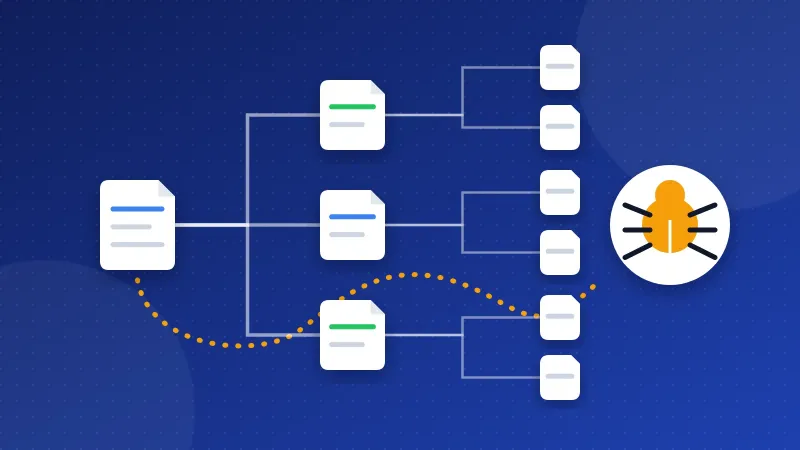
To crawl means to open a page, read its links, then open those pages, and so on. The tool does this through Bloghints' own fetcher, page by page, and only follows links on the same host as your homepage.
It does not add every page it finds. A sitemap should only list pages you want in search, so the crawl leaves out:
- Blocked pages. It obeys the Disallow rules in your robots.txt that apply to all bots (
User-agent: *). - Noindex pages. A noindex tag tells search engines not to show a page, so it does not belong in a sitemap.
- Pages with another canonical. A canonical tag names the main version of a page. If it points to a different URL, the tool skips the copy.
- Redirects and errors. Only pages that load normally go in.
Every page it leaves out is listed with the reason, so you can check whether that was what you wanted. A page you expected to see in the "noindex" list is often a sign of a wrong setting in a plugin or template.
The crawl also cleans addresses. It removes #fragments and tracking parameters such as utm_source, gclid and fbclid, so one page does not show up five times.
Crawl options
- Include images adds image entries to each page, which makes an image sitemap. Use it if pictures matter for your site, such as recipes or products.
- Exclude URL patterns skips parts of the site, such as
/tag/or/cart/. - Page limit stops the crawl after a set number of pages, which keeps a first test short.
How to use the paste mode
- Collect your pages. Copy them from your CMS, a crawler export or a spreadsheet. Only list pages you want in Google: no login pages, search results or thank-you pages.
- Choose what you paste. Pick "Full URLs" for complete addresses, or "Paths" if your list looks like
/about/and fill in your site address. - Choose a date option. Pick none, today, or a date per line written as
url,YYYY-MM-DD. - Read the notes. The tool tells you what it fixed and what it left out.
The paste mode cleans your list before it writes the file. It adds your domain to paths, since Google asks for full addresses. It leaves out addresses on another host, because www.example.com and example.com count as two hosts. It can change old http:// addresses to https://, removes #fragments and copies, and warns you when both /page and /page/ show up. It also escapes & as &, drops wrong dates and warns about future ones.
Big sites, lastmod and old tags
One sitemap file may hold at most 50,000 URLs and 50 MB before compression. When your site is bigger, the tool splits the list into sitemap-1.xml, sitemap-2.xml and so on. It also writes a sitemap index, a short file that lists all the parts. Upload every file, then submit only the index.
Many old generators add changefreq and priority tags to every URL. Google says it ignores both, so this tool leaves them out. The lastmod date is different. Google uses it when the dates match real changes on the page. If you set every page to today each time, Google learns that your dates mean nothing.
Where to put the sitemap and how to submit it
- Copy or download sitemap.xml and upload it to your main folder, usually public_html, so it opens at
https://www.example.com/sitemap.xml. - Add the Sitemap line the tool gives you to robots.txt, for example
Sitemap: https://www.example.com/sitemap.xml. No robots.txt yet? Make one with the robots.txt generator. - Submit it in Google Search Console under Sitemaps. After a few days the report should say "Success". Bing Webmaster Tools has the same option.
- Check it by running the Website SEO Checkup again. It looks for /sitemap.xml and the Sitemap line.
Do I need this if my CMS makes a sitemap?
Often you do not. WordPress, Shopify, Wix and the Bloghints CMS build a sitemap for you and keep it up to date. Open /sitemap.xml or /sitemap_index.xml on your site to check. A file from this tool is useful for plain HTML sites, sites built by hand, or extra pages your CMS does not know about. It does not update itself, so build it again when you add or remove pages.
The crawl report is useful even if you keep your CMS sitemap. Its list of skipped pages shows noindex tags, canonicals, redirects and errors you may not know about.
A sitemap is a help, not a promise. Many of my own old pages stayed unindexed for years, even with internal links, so I now see the sitemap as one clear signal among several. For a full walkthrough, read our guide on how to create an XML sitemap. Crawl first, paste what the crawl misses, and the XML sitemap generator gives you a file that search engines can read on the first try.
Frequently asked questions
Does a sitemap get my pages indexed?
No, it only helps Google find them. Google still decides which pages to index based on quality and links. A sitemap is most helpful for new pages and pages with few internal links.
Why did the crawl miss some of my pages?
The crawl only finds pages that a link on your site points to. It also skips pages that robots.txt blocks, noindex pages, pages with another canonical, redirects, errors and URL patterns you excluded. Check the skipped list, or add missing pages with the paste mode.
Should I list every page of my site?
List only the pages you want people to find in search. Leave out noindex pages, redirects, error pages, login pages and internal search results. Each URL should be the main version of the page, the same one in its canonical tag.