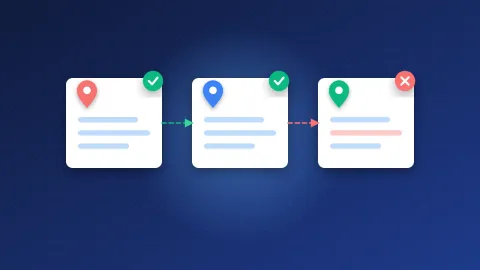
Here is how to check if a web directory is spammy before submitting your site: confirm Google indexes its pages, look at its categories and newest listings, count the outbound links on a category page, and see whether a human reviews submissions. If a directory fails two or more of those checks, skip it and move on.
When I review directories for the lists on Bloghints, I use the same short routine every time. It takes about a minute per site once you get used to it. Below is that routine, the red flags that make me reject a directory, and a checklist you can print or copy into a spreadsheet.
What makes a web directory "spammy"?
A spammy directory is one that exists mainly to sell or collect links, not to help visitors find good websites. Google's spam policies define link spam as creating links "primarily for the purpose of manipulating search rankings", and they name "low-quality directory or bookmark site links" as an example. A listing on that kind of site will not help you and, in large numbers, can make your link profile look manipulative.
A good directory, by contrast, has a clear topic or region, an editor who rejects weak sites, and pages that real people (and Google) actually visit.
The 60-second check
Open the directory in a browser and work through these steps in order. Stop as soon as you hit a clear deal-breaker.
- Index status (15 seconds). Search Google for
site:thedirectory.com. If almost nothing comes back, Google is not interested in the site. Google says this operator does not show every indexed URL, so use it as a quick signal, not a precise count. - Categories (15 seconds). Look at the category list. Sensible groups like "Home Improvement" or "Accounting" are a good sign. Hundreds of mixed categories such as "Casino", "Pills" and "Wedding Dresses" side by side are not.
- Recent listings (15 seconds). Open the "new" or "latest" page. Are these real businesses with proper descriptions, or keyword-stuffed titles and copied text?
- Editorial review (15 seconds). Read the submission rules. Look for wording about review, rejection reasons or quality guidelines. "Instant approval, no questions asked" means nobody is checking.
Which red flags should make you walk away?
Some warning signs are strong enough on their own. If you see any of these, I would not submit:
- Reciprocal link required. If you must link back before you are listed, that is a link exchange, not a directory.
- "Free" that is not free. Some sites advertise free listings, then push you to a paid option at the last step, or quietly leave free submissions pending forever.
- No editorial review at all. Automatic approval means your neighbours on the page can be anything.
- Link farm layout. A link farm is a site whose pages are mostly lists of unrelated outbound links. If a page looks like a wall of links with no descriptions, close the tab.
- Spammy ads and pop-ups. Aggressive ads and redirects suggest the owner cares about traffic tricks, not quality.
- Dead or parked listings. Click five listings. If several are expired domains or broken pages, nobody maintains the directory.
How do you check whether listings are indexed?
A link only has a chance to count if Google indexes the page it sits on. The homepage being indexed is not enough, because your listing will usually live on a category or detail page.
- Open a category page that matches your site's topic.
- Copy its full URL.
- Paste the URL into Google search. If the exact page shows up, it is indexed.
- Repeat for one or two individual listing pages, if the directory has them.
- For a wider view, search
site:thedirectory.com/category-nameand see roughly how many pages appear.
If deep pages are missing while the homepage shows up, expect your listing to be invisible too. In most cases we see, directories with lots of unindexed category pages are the ones with thin, duplicated content.
How many outbound links is too many?
Outbound links are links from the directory to other websites. Every directory has them, so the question is how many and how mixed. Open the category page where your site would appear and count, or use a free link checker from our SEO tools list.
| Check | Healthy sign | Warning sign |
|---|---|---|
| Links per category page | A manageable list with a description for each site | Hundreds of bare links on one page |
| Topic mix | Listings match the category | Unrelated niches mixed together |
| Anchor text | Business or site names | Exact-match keywords like "cheap loans fast" |
| Listing descriptions | Unique, written for people | Copied or spun text |
| Site age and upkeep | Recent approvals, working listings | Nothing new in years, broken links |
Topical mess matters more than raw numbers. A page about plumbing that also lists crypto signals and replica watches tells you the editor approves anything that pays or anything at all.
A printable checklist
Copy this into a note or spreadsheet. Give one point for each "yes". I submit to directories that score 7 or more, and I am picky below that.
- Does a
site:search return a reasonable number of pages? - Is the category page for my topic indexed?
- Are categories sensible and focused?
- Do recent listings look like real sites?
- Are submission guidelines and an editorial review mentioned?
- Is listing free of a reciprocal link requirement?
- Are outbound links per page reasonable and on-topic?
- Do listings use names rather than keyword-stuffed anchors?
- Do most listed sites still work?
- Is the site free of aggressive ads and redirects?
The Ahrefs Help Center makes the same point in fewer words: the directories worth using are niche business directories that "maintain high-quality editorial control." If you want a head start, our free directory list is a starting point, but run the checklist anyway, because directories change owners and quality drops over time.
How to check if a web directory is spammy before submitting: quick recap
Check indexing first, then categories, recent listings, outbound links and editorial review. Walk away from reciprocal requirements, link farm layouts and fake "free" offers. If you already have links from bad directories, our negative SEO guide explains when to worry and when to ignore them.
The habit is what protects you. Spend one minute on how to check if a web directory is spammy before submitting, and you will save hours of submissions that never help your site.
Frequently asked questions
Is a high Domain Authority directory always safe?
No. Domain Authority and similar scores are third-party estimates, not Google metrics, and they can be inflated. A high score with messy categories, unindexed pages and no editorial review is still a bad directory. Use the score as one hint among the checks above.
Should I remove my site from spammy directories I already joined?
If there are only a few, Google will usually ignore them, so removal is rarely urgent. If you have many and they use keyword-heavy anchors, ask the owners to remove them and keep a record. A disavow file is a last resort for clearly manipulative links you cannot get removed.
Are instant approval directories always spammy?
Not always, but they are spammy far more often than edited ones, because nobody filters the listings. If an instant approval directory passes the index, category and outbound link checks, a listing is fine. Just do not expect much from it.