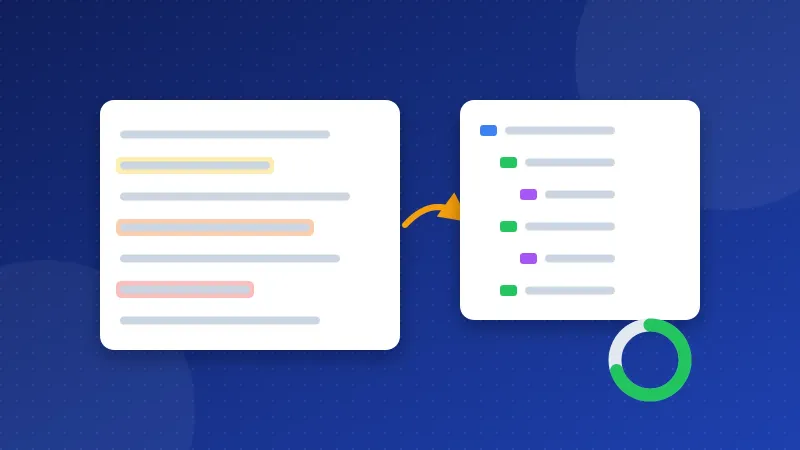
This readability checker shows you where a text gets hard to read, sentence by sentence. Paste plain text, Markdown or HTML, and long sentences light up in yellow, orange or red, possible passive voice gets a wavy line, and you get a Flesch Reading Ease score with words per sentence. A heading check draws your H1 to H6 outline and flags skipped levels, duplicates and a missing H1.
Why readability matters on the web
People do not read web pages the way they read a book. They scan headings, read the first lines of a section, and leave when a paragraph looks like hard work. Short sentences and a clear outline keep them on the page long enough to find the answer.
Readability is not a Google ranking factor, and no score will move a page up by itself. Google asks for helpful, people-first content. Text that is easy to read is simply more useful to more people, including readers who use English as a second language.
I write in English as a non-native speaker, and one article can take me about three days, most of it spent re-reading to fix grammar. A tool that shows which sentences are too long would have saved me many of those hours, which is the reason this one exists.
What the checker measures
| Measure | What it tells you |
|---|---|
| Words per sentence | The average. Around 15 to 20 reads easily on screen. |
| Sentences over 20 words | The share of long sentences. Under a quarter is a fair aim. |
| Sentence colours | Yellow 21 to 25 words, orange 26 to 35, red over 35: split those first. |
| Maybe passive | Phrases like "was written by". Often fine, but active is usually shorter. |
| Flesch Reading Ease | 0 to 100 from sentence and word length; higher is easier. |
The word bands are our own rule of thumb, not a standard. Hover over a sentence to see its word count.
How the Flesch score works
Flesch Reading Ease was designed in the 1940s for English. It combines two things: average sentence length and average syllables per word. Long sentences and long words lower the score.
- 90 to 100: very easy, like a children's book.
- 60 to 70: plain English, the range most web articles aim for.
- 30 to 50: hard, like academic or legal text.
The score only works for English, because syllable counting and the formula were built for it. For Indonesian or other languages the number means little, and the tool says so when the text does not look English. The passive check is English-only too.
How to use the readability checker
- Paste the article. HTML from your editor's code view gives the most complete heading check. Markdown with # and ## headings works too.
- Look at the colours first. Red sentences are the quickest win: split each one into two.
- Check the wavy lines. Turn passive sentences active when it makes them shorter or clearer. Leave them when the doer does not matter.
- Read the heading outline. Fix the lines marked in red.
- Paste again after editing and compare the numbers.
The text stays in your browser. Nothing is sent to a server.
The heading check
Headings are the outline of a page. Screen readers use them to jump between sections, and readers use them to decide what to read. The check flags:
- Skipped levels, such as an H2 followed by an H4. Use H3 in between.
- No H1 at the start, or more than one H1. Several H1s are allowed in HTML, but one clear H1 is easier to follow.
- Duplicate headings with the same text, which make a table of contents confusing.
- Long headings over 70 characters, which are hard to scan.
If you paste only the article body from a CMS, the H1 is often the page title outside the text, so a note about the first heading being H2 is expected.
A quick before and after
Here is a typical long sentence: "It is recommended that the plugin should be updated by the site owner as soon as possible, because outdated plugins which have not been maintained can be used by attackers to gain access to the website." That is 38 words, red, with two passive phrases. Rewritten: "Update the plugin soon. Old plugins are a common way for attackers to get in." Two sentences, 15 words, same meaning.
Editing tips that raise the score
- One idea per sentence. When you see "and" or "which" twice in one sentence, it can usually be two.
- Short words where they fit. "Use" instead of "utilise", "help" instead of "facilitate".
- Lists for steps and options. Three items in a sentence are fine; six belong in a list.
- Answer first. Put the direct answer at the start of a section, then explain.
- Do not chase 100. Very short sentences in a row sound choppy. Mix lengths.
Run your next draft through the readability checker before you publish, fix the red sentences and the heading outline, and you will catch most of what makes a page tiring to read.
Frequently asked questions
What is a good Flesch Reading Ease score for a blog post?
Around 60 to 70 is plain English and suits most blog posts. Technical guides can sit a little lower. Above 80 is very easy, which is fine as long as the text does not become choppy.
Is passive voice bad for SEO?
No. Google does not count passive sentences. Active voice is often shorter and clearer, so it helps readers, but a passive sentence is fine when the doer is unknown or does not matter.
Does the readability checker work for Indonesian text?
The sentence colours and the heading check work for any language. The Flesch score and the passive check are built for English and are not reliable for Indonesian.