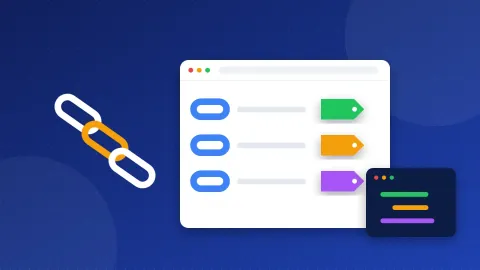
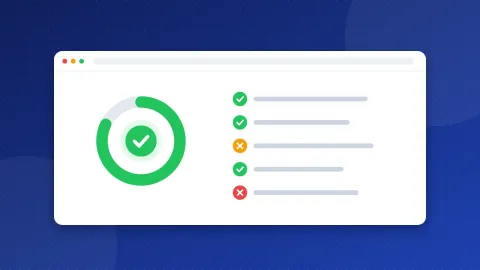
This llms.txt generator reads your sitemap, picks up the title and description of each page, and turns them into a short Markdown file that AI tools can read. A second tab checks an llms.txt you already have, line by line. A third tab lists the main AI crawlers, shows what your robots.txt allows today, and writes the lines you need if you want to allow AI search but block AI training.
What llms.txt is, and what it is not
llms.txt is a proposal from September 2024, published at llmstxt.org. The idea is simple: a web page is full of menus, ads and scripts, so give language models one clean file that points to your best pages. The file lives at the root of your site, like robots.txt, at /llms.txt.
Be clear about its status before you spend time on it:
- It is not a standard. No standards body has adopted it.
- Google does not use it. Google has said it does not read llms.txt for Search or for AI Overviews, and that normal SEO is what counts there.
- No AI company has promised to read it. Some crawlers fetch the file, but fetching is not the same as using it.
- It does not block anything. llms.txt is a map, not a rule. Access is still controlled by robots.txt.
So why make one? It costs ten minutes, it does no harm, and it forces you to pick your best pages, which is a useful exercise for any site. Bloghints has served an llms.txt since 2026 for exactly that reason. Do not expect traffic from it.
The format, line by line
The proposal uses plain Markdown in a fixed order:
- One H1 line with the name of the site or project:
# Example Bakery. This is the only required part. - A short summary in a quote line:
> Sourdough recipes and baking guides for home bakers. - Optional notes in normal paragraphs, for example "prices change often, check the shop page".
- Sections that start with an H2, such as
## Guides, each with a list of links:- [Starter guide](https://example.com/starter/): make a starter in 7 days. - An optional section called
## Optionalfor pages a tool can skip when it is short on space.
The checker tab tests exactly these points. It also flags links that are not full URLs, list lines in the wrong shape and sections without links.
How to use the llms.txt generator
- Read your sitemap. Type your address and press Read sitemap. The tool looks for Sitemap lines in robots.txt first, then tries
/sitemap.xml, and follows a sitemap index. It skips images and files, and leaves out pages with noindex. - Check the name and summary. They come from your home page. Rewrite the summary in one plain sentence that says who the site is for.
- Cut the list. This is the step that matters. Pages are grouped by their first folder. Delete thin pages, tag pages and anything out of date. Twenty to fifty strong pages make a better map than five hundred weak ones.
- Edit the descriptions. A note after each link should say what the reader gets, not repeat the title.
- Save and upload. Save the file as
llms.txtand upload it to the root of your site, next to robots.txt. Check thathttps://your-site/llms.txtopens as plain text.
The standard level reads up to 50 sitemap pages; PRO reads up to 500.
AI search crawlers versus AI training crawlers
This is the part with a real effect. AI companies now run separate crawlers for separate jobs, and robots.txt can treat them differently:
| Crawler | Company | Used for |
|---|---|---|
| OAI-SearchBot | OpenAI | ChatGPT search results, which can link to you |
| ChatGPT-User | OpenAI | A page a user asked ChatGPT to open |
| GPTBot | OpenAI | Training future models |
| Claude-SearchBot | Anthropic | Claude search results |
| ClaudeBot | Anthropic | Training future models |
| PerplexityBot | Perplexity | Perplexity search results |
| Google-Extended | Gemini training and grounding, not Google Search | |
| Applebot-Extended | Apple | Apple AI training, not Apple search |
| CCBot | Common Crawl | An open archive that many AI models train on |
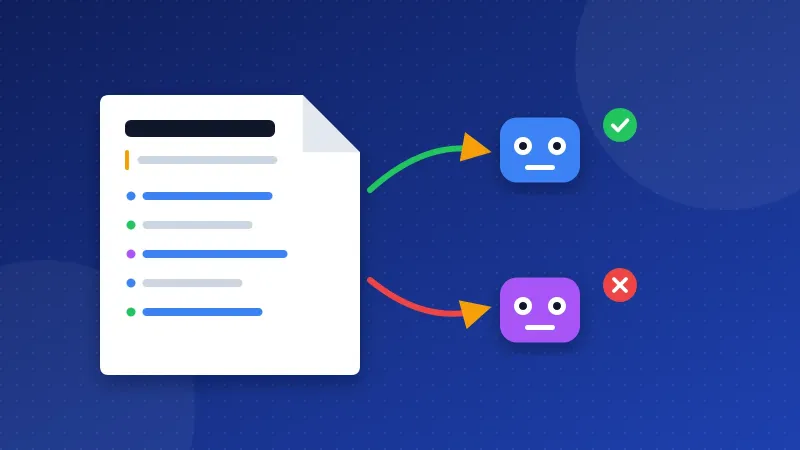
Search crawlers fetch pages to answer a question and can send a visitor back with a link. Training crawlers collect text to build the next model, and give nothing back directly. Many site owners now allow the first group and block the second. Others allow both, hoping to be mentioned more. There is no single right answer: it is a business choice.
Two details trip people up. Blocking Google-Extended does not remove you from Google Search; Googlebot is a different crawler. And robots.txt is a request: well-known companies follow it, but it is not a lock.
The AI crawler policy tab loads your current robots.txt and shows, for each crawler, whether your home page is allowed now. Pick Allow or Block per crawler, or press "Search only (block training)", and copy the lines it writes. Then test them in the Robots.txt Tester before you upload.
Common mistakes
- Treating llms.txt as SEO. It will not move rankings in Google. Spend the real effort on the pages themselves.
- Dumping the whole sitemap. A file with every URL is a second sitemap, not a guide.
- Relative links. Use full addresses with https://.
- Blocking AI search by accident.
Disallow: /placed underUser-agent: *instead of under one bot's name blocks every crawler, including Googlebot. - Forgetting to update it. Add a reminder to review the file when you publish an important page.
Use the llms.txt generator to make the map, then spend more of your time on robots.txt, where the real choice about AI crawlers is made.
Frequently asked questions
Does llms.txt help my site appear in ChatGPT or Google AI Overviews?
There is no evidence that it does. Google has said it does not use llms.txt, and AI companies have not promised to read it. Being allowed in robots.txt, being crawlable and having clear, useful pages matter far more.
Where do I upload the llms.txt file?
Put it in the root folder of your site, the same place as robots.txt, so it opens at https://your-site/llms.txt. Save it as plain UTF-8 text. On WordPress you can upload it with the file manager in your hosting panel.
Can I block AI training but stay in AI search results?
Yes, for crawlers that are split by job. Block GPTBot, ClaudeBot, Google-Extended, Applebot-Extended and CCBot, and allow OAI-SearchBot, Claude-SearchBot and PerplexityBot. The policy tab writes these lines for you.