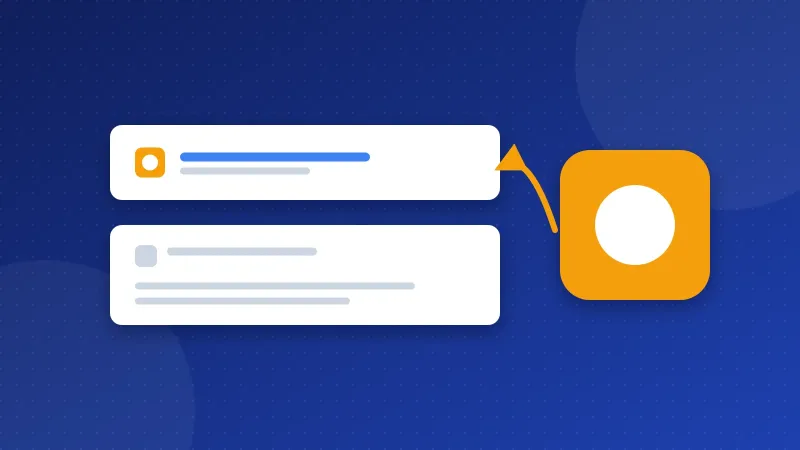
A favicon not showing in Google usually has one of four causes: your home page has no icon link tag, Google cannot crawl the icon file, the image is not square, or Google simply has not crawled your home page again yet. Fix the cause, check that the icon file opens in a browser, then ask Google to recrawl your home page. The new icon can take days or weeks to appear.
A favicon is the small square icon of your site. Browsers show it in tabs and bookmarks. Google shows it next to your site name in search results, mostly on phones. When Google cannot use yours, it shows a plain grey globe instead, which looks less trusted.
Why is your favicon not showing in Google?
Google has a short list of favicon rules in its Search Central docs. Most problems come from breaking one of them. Here are the usual suspects, from most to least common.
- No link tag on the home page. Google looks for a
<link rel="icon">tag in the head of your home page. A file sitting at /favicon.ico with no tag is a guess, not a signal. - Something blocks the file. Googlebot-Image, the crawler Google uses for pictures, must be able to fetch the icon. Googlebot must also be able to crawl your home page. A robots.txt rule like
Disallow: /images/can block both by mistake. - Wrong shape or size. The icon must be square, with a 1:1 ratio. Google's minimum is 8×8 pixels, but it recommends an icon larger than 48×48 pixels.
- Wrong format. Google accepts common formats like ICO, PNG, GIF and JPEG. PNG or ICO is the safest choice.
- The icon address keeps changing. Google wants a stable URL. If your theme adds a new file name on every update, Google may never settle on one.
- Google has not caught up. Google says crawling can take from several days to several weeks. A new icon will not show the next morning.
Google also replaces icons it finds unfit, such as adult or hateful images. Even when you follow every rule, Google does not promise to show your favicon.
What does a good favicon look like?
Think of a stamp, not a poster. At this size, only a simple shape or one or two letters can be read.
- A square image, for example 96×96 or 192×192 pixels, so it stays sharp on any screen.
- One bold shape or initial on a solid background, with no fine lines or small text.
- High contrast, so it works on both light and dark search pages.
- The same icon your brand uses elsewhere, so people recognise it.
If you do not have one yet, the Favicon Generator turns a logo or a letter into the right files and gives you the tags to paste.
How do you add the favicon correctly?
Pick the steps for your site. Each one ends with the same result: a link tag on the home page that points to a square image.
Plain HTML or PHP sites
- Upload your icon to the main web folder, usually public_html. For example, name it
favicon.png. - Open the file that holds your page head. On a PHP site with includes, this is often
header.php. - Add these two lines inside the head, before
</head>:
<link rel="icon" href="/favicon.png" type="image/png"><link rel="apple-touch-icon" href="/apple-touch-icon.png">
Use the real file name and folder of your icon in both lines. The second line is for phones that save your site to the home screen. Google accepts it too. Keep one favicon for the whole site, because Google uses only one icon per hostname.
WordPress
Go to Appearance, then Customize, then Site Identity. Upload a large square image under Site Icon and press Publish. WordPress writes the link tags for you. If your theme hides this menu, look for Site Icon in the Site Editor instead. Avoid adding a second icon with a plugin, because two tags can confuse Google.
Bloghints CMS
Open Admin, then Settings, then Favicon. Upload a square icon of at least 48×48 pixels and save. The CMS adds the tags to every page.
How do you check that Google can reach the icon?
- Open the file. Type the full icon address in your browser, like
https://yoursite.com/favicon.png. You should see the icon, not an error page. - View the source. On your home page, press Ctrl+U and search for
rel="icon". The address there must match the file you just opened. - Read your robots.txt. Open
https://yoursite.com/robots.txtand look for Disallow lines that cover the icon folder. Our guide to robots.txt for beginners explains how to read them. - Test the home page. In Google Search Console, paste your home page into URL Inspection and run a live test. If the test says Google can crawl the page, click Request indexing.
Google's docs say that a request to index the home page can speed up the change. After that, wait. Checking every day will not make it faster, so look again in a week or two.
What does the checkup's favicon check look for?
The Website SEO Checkup reads the head of your page and looks for an icon link tag. Then it tries to open the file the tag points to. The check fails when there is no tag, or when the file answers with an error instead of an image.
A pass in the checkup means the basics are right. It does not mean Google has picked up the icon yet. Google still has to crawl your home page and the icon, and that happens on its own schedule. So treat the checkup as your first test and Search Console as your second.
Do www and https change which favicon Google shows?
Yes, they can. Google treats www.yoursite.com and yoursite.com as two hostnames. If both versions answer, Google may read the home page of the one without your new tag. Redirect one to the other, as our guide on www vs non-www shows. Also make sure your icon loads over https, or the browser may block it on your secure pages.
Your favicon not showing in Google is almost always a small fix: a missing tag, a blocked folder or a little patience. When the tag is in place, run the free Website SEO Checkup to confirm the favicon check passes.
Frequently asked questions
How long does it take for a new favicon to show in Google?
Google says it can take several days to several weeks. It depends on how often Google crawls your home page. Requesting indexing in Search Console can help a little.
Can I use an SVG file as my favicon?
Modern browsers show SVG icons in tabs, but a PNG or ICO is safer for Google. You can link both: an SVG for browsers and a square PNG for everything else.
Why does Google show an old favicon after I changed it?
Google keeps the old icon until it crawls your home page and the new file again. Keep the new file at a stable address, check that it is not blocked and request indexing of the home page. Then give it time.