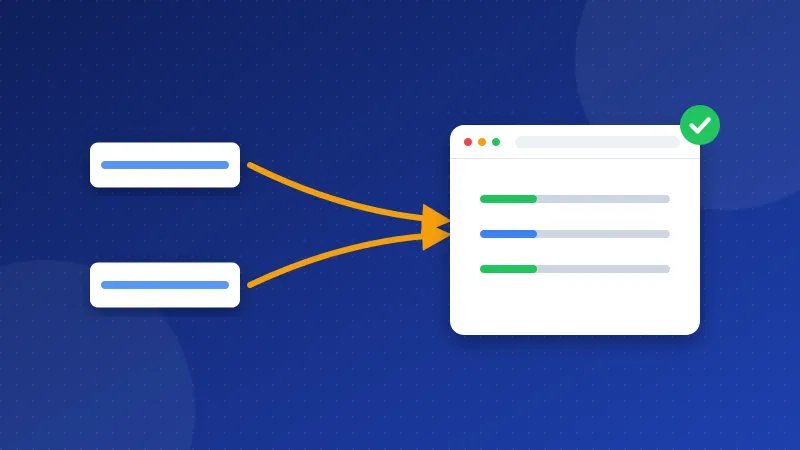
For SEO, www vs non-www makes no difference: Google ranks www.yoursite.com and yoursite.com the same. The problem starts when both versions open your site. Then Google sees two copies of every page. Pick one version, send the other to it with a 301 redirect, and use that version everywhere.
The non-www version, like yoursite.com, is your bare domain. The www version is a subdomain of it, just like shop.yoursite.com would be. A redirect is a rule that sends visitors and search engines from one address to another. A 301 redirect says the move is permanent.
Does www vs non-www matter for SEO?
The choice itself does not matter. What matters is that you make one. Google advises you to pick one address as the main one and redirect the others to it. It calls redirects a strong signal for which address should become the main, or canonical, version.
When both versions answer, links from other sites may split between them. Google then has to guess which one to show. Search Console reports can look odd too, with the same page listed twice. So here is how to choose:
| Choose www if… | Choose non-www if… |
|---|---|
| Google already shows your pages with www | Google already shows your pages without www |
| Most links to your site use www | Most links to your site skip www |
| Your host or CDN asks for a www address | You prefer a shorter address on cards and print |
Neither version is faster or safer on its own. Both use the same server, the same certificate and the same pages. The only real cost is confusion when both stay open.
The simplest rule: keep the version Google already uses. Switching only creates work and a short wobble while Google updates its records.
How do you see which version you use now?
- Type
yoursite.comin your browser, thenwww.yoursite.com. If both stay on their own address, you have the problem. - Search Google for your site name and look at the address Google shows with each result.
- Open Google Search Console. A Domain property covers both www and non-www, and http and https too, as Google's help page explains. Its Pages report shows which version Google indexed.
Both versions also need a DNS record that points to your host. If one of them shows an error page, see our guide on how to point a domain to hosting.
How do you redirect one version to the other?
Do it on the server, so it works for every page at once. Make a backup of your .htaccess file before you start.
Apache or LiteSpeed (.htaccess)
The .htaccess file sits in your main web folder, often public_html. In cPanel, open File Manager and tick "Show hidden files". These lines send every visitor to https without www, in a single jump:
RewriteEngine OnRewriteCond %{HTTPS} off [OR]RewriteCond %{HTTP_HOST} ^www\. [NC]RewriteCond %{HTTP_HOST} ^(?:www\.)?(.+)$ [NC]RewriteRule ^ https://%1%{REQUEST_URI} [L,R=301,NE]
Prefer www? Change the second condition to RewriteCond %{HTTP_HOST} !^www\. [NC] and the last line to RewriteRule ^ https://www.%1%{REQUEST_URI} [L,R=301,NE]. The Apache docs cover these rules under canonical hostnames. If you would rather not type them, the .htaccess Redirect Generator builds them for your domain.
Nginx, Cloudflare and CMS settings
- Nginx: add a server block for the version you drop, with
return 301 https://yoursite.com$request_uri;inside. - Cloudflare: you can make the redirect there with a redirect rule. Do it in one place only. A rule on Cloudflare and another on your server can loop.
- WordPress: open Settings, then General, and make both addresses match the version you chose.
- Bloghints CMS: open Admin, then Settings, then www / non-www, and pick one.
A redirect is the main fix. A canonical tag, a line in the page head that names the main address, backs it up. Read what a canonical tag is to add one.
Make every signal agree
Google looks at more than the redirect. Your other signals should all name the same version:
- Your XML sitemap lists only addresses in the chosen version.
- Each canonical tag uses the chosen version.
- Your menus and links inside posts use it too.
- Your social profiles and email signature link to it.
Mixed signals slow Google down. Matching signals let it settle on your choice faster.
Why should you avoid redirect chains?
A chain is when one redirect leads to another. For example, http://www.yoursite.com goes to https://www.yoursite.com, which then goes to https://yoursite.com. Each jump adds a delay, mostly on slow phones. The rule above fixes this, because it goes to the final address in one step.
Also update your own links. Menus, old posts and your sitemap should point straight to the final https address. Then visitors and crawlers never need a redirect at all.
What about meta refresh redirects?
A meta refresh is a tag in the page that reloads it at a new address after a few seconds. Old sites often used it in place of a real redirect. Google reads an instant meta refresh as permanent and a delayed one as temporary. Still, it is slower, and it confuses screen readers. Replace it with a server redirect like this line in .htaccess:
Redirect 301 /old-page.php https://yoursite.com/new-page.php
Then delete the meta refresh tag from the old page. If you moved many pages, write one Redirect line per page. Keep the list in a safe place, because you may need it again when you change hosting or rebuild the site.
Where does HTTP/2 fit in?
HTTP/2 is a newer way for browsers and servers to talk. It loads many files at once over one connection, so pages with many images and scripts load faster. Most hosts switch it on together with HTTPS. To check, open DevTools, click Network, right-click the column titles and add Protocol. You should see h2. If you see http/1.1, ask your host to turn HTTP/2 on.
How do you check that it worked?
Type all four versions: http and https, with and without www. Each one should land on your chosen address in one jump. In DevTools, the Network tab shows a single 301 and then a 200. In Search Console, URL Inspection shows the Google-selected canonical once Google crawls the page again. If you are still moving to https, our guide on how to fix mixed content on HTTPS covers the rest.
The www vs non-www question has no wrong answer, only a missing one. Pick a version, redirect the other in one step, and run the free Website SEO Checkup again to confirm the www, redirect and HTTP/2 checks pass.
Frequently asked questions
Will I lose rankings if I switch from www to non-www?
A clean 301 redirect passes your signals to the new address. Rankings may wobble for a few weeks while Google updates. If Google already uses one version, keeping it avoids that wobble.
Do I need two Search Console properties for www and non-www?
No, if you use a Domain property. It covers every subdomain and both http and https. You verify it once with a DNS record at your domain provider.
Is a canonical tag enough without a redirect?
Not really. Google treats a canonical tag as a hint, while a redirect is a strong signal. A redirect also sends real visitors to the right address, so use both.