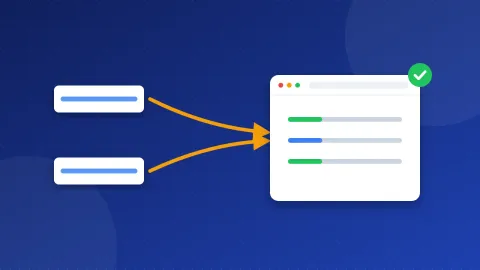
What is a canonical tag? It is one short line in the head of a page that tells Google which web address is the main one when the same page can be reached at several addresses. Google then shows that main address in search and counts links to the copies toward it. Every page should carry a canonical tag that points to its own full address.
What is a canonical tag, in plain words?
A URL is the full web address of a page, such as https://example.com/blue-shoes/. Many sites show the same page at more than one URL without meaning to. Google calls these copies duplicates. When it finds them, it has to pick one to show in search. That chosen one is the "canonical" URL.
The canonical tag lets you make that choice for Google. It looks like this and goes inside the <head> part of the page:
<link rel="canonical" href="https://example.com/blue-shoes/">
Think of it as a note on the door: "This room has three doors, but this is the front door." Visitors can still use the other doors. Google just knows which one to put on the map.
Why does the same page end up at several addresses?
Google lists the most common reasons in its guide on duplicate URLs. On a small site, these are the ones you will meet most:
- www and non-www.
https://www.example.com/page/andhttps://example.com/page/can show the same thing. - HTTP and HTTPS. The old address without the padlock may still work next to the secure one.
- Tracking codes. Links from email or ads often add extra bits after a question mark, such as
?utm_source=newsletter. Each version is a new URL to Google. - Sort and filter options. Shop pages often change the URL when someone sorts by price.
- Print or mobile versions that live on their own URL.
None of this is a penalty. Google does not punish you for duplicates. The real problem is that it may pick the wrong version, split your links between copies, or spend its visits on copies instead of your new pages.
How do I add a canonical tag?
Use the page's own full address, with https:// and the exact form you want people to see. Google advises full (absolute) URLs, not short paths like /blue-shoes/, because short paths can break when a test copy of the site gets crawled. Crawling means Google's robot visiting and reading your pages.
Bloghints CMS
The CMS writes a canonical tag on every page for you, using the page's own address. You do not need to add anything. If the checkup still shows a problem, check that your page address in Admin matches the address in the browser.
WordPress
WordPress adds a canonical tag to posts and pages by default. SEO plugins such as Yoast SEO or Rank Math also add one, and they let you change it in the post settings. Use one plugin only, so you do not end up with two different tags.
A plain HTML or PHP site
- Open the page file, or the shared header file if your site uses includes (for example
header.php). - Add the canonical line inside
<head>, near the title. - In a shared header, build the address from the current page so each page points to itself. Do not paste the home page address into every page.
The free Meta Tag Generator writes the canonical line together with your title and description, ready to paste.
Which mistakes break canonical tags?
A wrong canonical tag can do more harm than none. Watch for these:
- Every page points to the home page. This tells Google that all your posts are copies of the home page. It is the most common mistake in shared header files.
- Two canonical tags with different addresses. This often happens when a theme and a plugin both add one. Google may then ignore both.
- The canonical points to a page that redirects or shows "not found". Always point to a live page that loads with no redirect.
- The canonical mixes http and https, or www and non-www. Pick one form and use it everywhere. Our guide on choosing www vs non-www shows how.
- Using noindex or robots.txt instead. Google says not to use either to choose a canonical. Noindex removes the page from search completely, and robots.txt only stops the visit.
Is a canonical tag the same as a redirect?
No. A redirect sends people and Google to the new address. The old one no longer shows its content. A canonical tag leaves both addresses working and only tells Google which one to list.
| Tool | What visitors see | Use it when |
|---|---|---|
| 301 redirect | They land on the new address | An old or duplicate address should go away |
| Canonical tag | Both addresses still work | Copies must stay, such as tracking or sort URLs |
| Sitemap | Nothing changes | A weak extra hint: list only main URLs |
Google treats redirects and canonical tags as strong signals and a sitemap as a weak one. You can use them together, as long as they all point to the same address. For whole-site copies like www and non-www, a redirect is the cleaner fix. Then the canonical tag backs it up.
Does Google always follow my canonical tag?
Not always. Google treats the tag as a strong hint, not an order. If your other signals disagree, it may choose a different URL. For example, your internal links may point to the www version while the tag says non-www. Keep everything in line: links, sitemap, redirects and the tag should all use the same address.
On my own sites, many old pages stayed out of Google for years, and I still do not know every reason why. That taught me not to guess at what Google wants. I keep the setup simple, keep every signal the same, and give Google time to settle.
How do I check that the fix worked?
- Open the page in your browser, right-click and choose View page source. Press Ctrl+F (Cmd+F on a Mac) and search for
canonical. You should find exactly one line with the page's own address. - In Google Search Console, paste the address into URL Inspection. Look at "User-declared canonical" and "Google-selected canonical". If both match, you are done. Our guide on checking if a page is indexed in Google walks through this screen.
- Re-run the checkup on the same page.
So, what is a canonical tag in practice? One tag per page, the full address, and the same address in your links and sitemap. Now re-run the free Website SEO Checkup on your page to confirm the canonical warning is gone.
Frequently asked questions
Does every page need a canonical tag?
Google strongly recommends one on every main page, pointing to itself. This is called a self-referencing canonical. It protects the page when someone links to it with tracking codes added.
Can a canonical tag point to another website?
Yes. If you republish your own article on another site, that copy can carry a canonical tag that points back to your original. The other site has to agree to add it, since the tag lives in their page.
How long does Google take to notice a new canonical tag?
Google has to visit the page again first. On a small site that can take days or weeks. You can ask for a new visit with Request indexing in the URL Inspection tool.