A meta tag generator writes the HTML tags that sit in the head of a web page: the title, the meta description, the canonical link, robots rules and the Open Graph tags that social sites read. Fill in the form, check the share preview, and copy one clean block of code into your page or theme.
What meta tags do
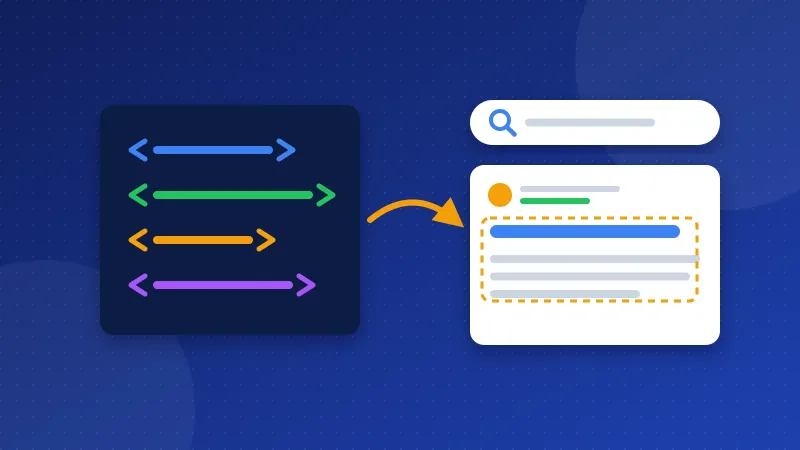
Meta tags are short pieces of HTML that visitors never see on the page itself. Search engines, browsers and social networks read them to understand the page and to decide how to show it.
| Tag | Who reads it | What it does |
|---|---|---|
| Title | Google, browser tabs | Main headline of your search result |
| Meta description | Google, Bing | May become the text under the title |
| Canonical | Search engines | Names the main address of the page |
| Robots | Search engines | Allows or blocks indexing and previews |
| Open Graph | Facebook, LinkedIn, WhatsApp | Title, text and image of a shared link |
| Twitter card | X (Twitter) | Layout of a shared link on X |
Google says it ignores the old "keywords" meta tag for ranking, so this tool does not create one. Spend that time on a clear title and description instead.
How to use the meta tag generator
- Write the title. Put the main words first and keep it under about 60 characters, so search results show it in full.
- Write the description. One or two plain sentences, about 120 to 160 characters, that say what the reader gets.
- Add the page URL. Use the clean, full address with https. The tool uses it for the canonical tag and for og:url.
- Add a share image. An image of 1200 × 630 pixels works on most networks. Watch the preview card update.
- Set the search rules. Leave "noindex" off for normal pages. Keep "large image previews" on unless you have a reason to block them.
- Copy the tags and paste them inside the
<head>section of your page.
If you use WordPress, an SEO plugin usually writes these tags already. In that case, copy only the text into the plugin fields, or you will end up with two titles and two descriptions on the same page.
How this tool differs from the SERP preview
Our SERP Snippet Preview shows how a title and description may look in Google, with a pixel meter for each line. This tool is about the code. It shows how a shared link may look on social sites, writes the full set of head tags, and checks the details that break shares, such as a missing image or an http address. Many people use both: shape the text in the preview, then build the code here.
Open Graph tags in plain words
When someone shares your link, Facebook, LinkedIn and WhatsApp look for Open Graph tags. The Open Graph rules name four basic properties for every page: og:title, og:type, og:image and og:url. Without them, the site guesses. It may grab your logo, a tiny icon or a random image from your sidebar.
X (Twitter) reads its own twitter:card tag and falls back to Open Graph for the rest. Choose "Large image" for articles with a strong picture and "Small image" for simple pages.
Canonical and robots tags
A canonical tag tells search engines which address is the main one when the same page loads under several URLs, for example with and without ?ref= tracking codes. Google calls it a strong signal, not an order, and asks for a full address in the head of the page. The tool warns you when your URL contains a question mark or a hash, because a canonical is usually the clean address.
The robots tag controls indexing. "Noindex" removes a page from search results after Google crawls it again, which suits thank-you pages and login pages. One catch: if robots.txt blocks a page, Google cannot read its noindex tag at all. Our robots.txt generator has a tester to check that.
Common mistakes
- The same description on every page. Google says identical descriptions do not help searchers. Write one for each page.
- Relative image links.
/images/photo.jpgfails on most social sites. Use the full https address. - Noindex left on after a redesign. Check the robots tag on your live site after every launch.
- Keyword lists in the title. "SEO, SEO tips, best SEO" reads like spam. Write a title a person would click.
To check the tags that a live page already has, follow our guide on how to find meta tags on a website. Then fix what is missing with this meta tag generator and test the result by sharing the page in a private message to yourself.
Frequently asked questions
Does Google always use my meta description?
No. Google often builds the snippet from text on the page that matches the search better. A clear description still helps, because Google uses it when it describes the page well, and social sites use it for shared links.
How long should a meta title be?
Aim for about 50 to 60 characters. Google cuts longer titles to fit the screen, so put the most important words at the start. The SERP Snippet Preview shows the exact cut point in pixels.
Is my information saved by Bloghints?
No. The generator runs in your browser and keeps your last entries only on your own device. The share image loads straight from your own site.


