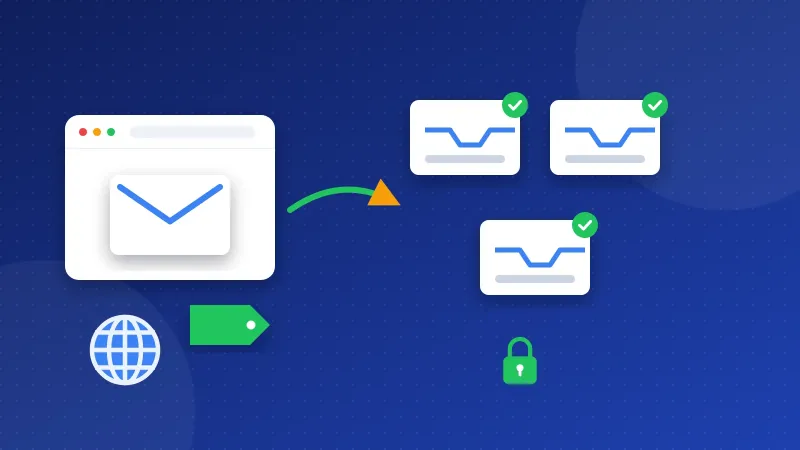
Yes, you can get free business email with your own domain, but only a few routes stay free. Zoho Mail has a free plan for one domain. Most web hosting plans include mailboxes on your domain. Gmail can also send as your address for now. Each free route has a catch, so pick the one whose catch you can live with.
A business email is an address like hello@yourbakery.com instead of yourbakery@gmail.com. It looks more trustworthy on a contact page, an invoice or a WordPress site. You need to own the domain first. The email service is a separate thing that you connect to it.
Which providers offer free business email with your own domain?
We checked the official pages of the eight providers in our Email Providers section. Only some of them have a free way to put your domain on an inbox. The table sums it up.
| Provider | Free way to use your domain | Catch |
|---|---|---|
| Zoho Mail | Forever Free plan, one domain | No IMAP, POP or ActiveSync; only in some regions |
| Web hosting (Hostinger, cPanel hosts) | Mailboxes come with the hosting plan | Hostinger: a trial that turns paid; cPanel: your host sets the limits |
| Gmail | "Send mail as" plus forwarding from your host | Google is ending "Send as" for third-party addresses |
| Google Workspace | Free trial only | Paid after the trial |
| Microsoft 365 | Free trial only | Paid business plans |
| Namecheap Private Email | Free trial only | Trial turns into a yearly paid plan |
| Proton Mail | None | Custom domains need a paid plan |
| Outlook.com | None | Free plan is a personal inbox; your domain needs a business plan |
Zoho Mail free plan
Zoho's pricing page lists a Forever Free plan with "custom email for one domain". You do not need a credit card. The catch is access. Zoho says IMAP, POP and ActiveSync are not included. IMAP and POP are the ways desktop apps like Outlook or Thunderbird read your mail. So on the free plan you use Zoho's webmail and its own mobile apps. Zoho also says the free plan is only offered in some data centers, which means some regions.
Email that comes with your web hosting
If you already pay for hosting, you may already have email on your domain. On cPanel hosting, the Email Accounts screen lets you create mailboxes for your domains. cPanel's docs say your hosting provider sets the mailbox quotas, so the limits depend on your host.
Hostinger works a bit differently. Its help center says all web, cloud and agency hosting plans include a free trial of Hostinger Business Email. When the trial ends, the mailboxes renew as a paid plan if you saved a payment method. If you did not, you must upgrade by hand or export your mail before the end date. So treat it as a long free start, not free forever.
Gmail with your own address
Gmail's "Send mail as" setting lets you send from an address you own. A common setup was simple. You forward mail from your hosting mailbox to Gmail, then reply as your domain address. cPanel's Forwarders tool can send a copy of incoming mail to another address.
There is a big catch now. Gmail Help says Gmail will stop supporting "Send as" for third-party addresses. Google already stopped POP fetching and Gmailify for new users. Some recipients may also see a "sent on behalf of" line next to your name. Use this route only as a short-term fix, and check the date on Google's help page.
What do you give up with free business email?
Free plans save money, but you pay in other ways. These are the usual trade-offs.
- Fewer ways to read mail. Zoho's free plan has no IMAP or POP, so you cannot add it to most desktop apps.
- Lower limits. Hostinger says its trial has a lower daily sending rate than paid plans. Hosting mailboxes follow your host's quotas.
- Less help. Check what support a free plan includes. If mail stops arriving, you may have to fix it yourself.
- Sending as an alias. With Gmail, your address is only a "from" name on top of a Gmail inbox. Replies go to Gmail by default, and the feature is going away.
- Your mail is tied to your host. If you move hosting, you must move your mailboxes too.
When does paying for email make sense?
A free route is fine for one person and a small blog. Paying starts to make sense when email is part of how you earn money. Think about a paid plan if any of these fit you.
- You need the inbox in Outlook, Apple Mail or Thunderbird on your desktop.
- Several people share the business and each needs their own mailbox.
- You want a provider that is separate from your hosting, so a host move does not touch your email.
- You want help from a support team when something breaks.
Google Workspace, Microsoft 365 and Namecheap Private Email all offer a free trial. Use the trial to test the inbox with your real domain before you pay. If privacy matters most, Proton Mail supports custom domains on all its paid plans.
How do you set up email on your own domain?
The steps are much the same for every provider. You prove you own the domain, then you point its mail to the new service. All of this happens in DNS. DNS is the settings list of your domain, kept at your registrar or host.
- Verify the domain. Add the TXT or CNAME record your provider shows you. Zoho and Proton both use a TXT record for this.
- Add the MX records. MX records tell the internet where to deliver mail for your domain. Remove old MX records you no longer use.
- Add SPF. An SPF record lists the servers allowed to send mail for your domain. Keep only one SPF record. Our guide What Is an SPF Record? explains it in plain words.
- Add DKIM. DKIM adds a hidden signature to your mail, so other servers can see it really came from you.
- Add DMARC. DMARC tells other servers what to do with mail that fails SPF or DKIM. Proton suggests a quarantine policy for most domains.
- Check your work. Run your domain through the free DNS & Email Checker to see if MX, SPF, DKIM and DMARC are in place.
DNS changes can take a while to show up. If a check fails right away, wait a bit and run it again.
How do you connect your new email to WordPress?
WordPress sends form messages and password resets with PHP mail by default. Hostinger notes that PHP mail uses a server address as the sender. That often hurts delivery. A better way is to send through your mailbox with SMTP, the standard way one mail server hands mail to another.
- Install an SMTP plugin such as WP Mail SMTP or FluentSMTP.
- Pick "Other SMTP" and enter your provider's host, port and encryption.
- Use your full email address as the username and the password type your provider asks for.
- Send a test email from the plugin.
You can find the host and port for each provider in our SMTP settings list. For Zoho's free plan, Zoho lists smtp.zoho.com for free organization users. Before you change your site, check the server works in the free SMTP Tester.
So the honest answer is this. Free business email with your own domain is possible through Zoho Mail's free plan or the mailboxes in your hosting, and Gmail's alias trick is fading out. Start free if you are a solo blogger, set up your DNS records with care, and move to a paid plan when email starts to matter to your income.
Frequently asked questions
Can I get a free email address with my own domain without hosting?
Yes. Zoho Mail's Forever Free plan lets you add one domain without any hosting plan. You still need to own the domain and add Zoho's DNS records. The free plan has no IMAP or POP, so you read mail in Zoho's webmail and apps.
Is the free email that comes with web hosting good enough for a small business?
For a blog or a small shop, it often is. Your host sets the mailbox limits, so check them in your control panel. The main risk is that your email is tied to your host. If you move hosting, you must move your mail too.
Can I still use Gmail to send email from my own domain for free?
For now, Gmail's "Send mail as" setting still works for addresses you own. But Gmail Help says Google will stop supporting it for third-party addresses. Plan to move to Zoho, your hosting mailbox or a paid service instead.