The Proton Mail SMTP settings are: server smtp.protonmail.ch, port 587 with STARTTLS, your custom domain address as the username, and an SMTP token as the password. Your normal Proton password will not work. SMTP is only open on paid Proton Mail plans with a custom domain address.
| Setting | Value | Notes |
|---|---|---|
| SMTP server | smtp.protonmail.ch | For sending only |
| Port and security | 587 with STARTTLS | The only port Proton lists |
| Username | Your custom domain address | For example hello@yourdomain.com |
| Password | An SMTP token | Made in Proton settings; not your login password |
| Who can use it | Paid plans with a custom domain | Not free plans or @proton.me addresses |
| Incoming mail (IMAP) | Proton Mail Bridge on your computer | Bridge shows its own local settings |
| Incoming mail (POP) | Not offered | Use Bridge with IMAP |
When your token is ready, test these Proton Mail SMTP settings in the free SMTP Tester. It checks the connection and the security certificate without a password. If you add the address and token, it can send one test message.
What do SMTP, STARTTLS and SMTP token mean?
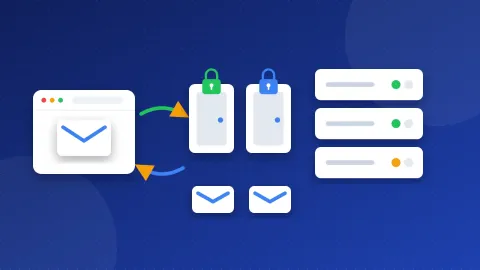
SMTP is the way email gets sent. A website or app hands each message to an SMTP server, which delivers it. IMAP and POP are ways to read mail, and Proton handles those differently (more on that below).
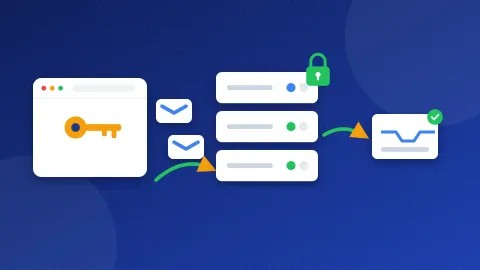
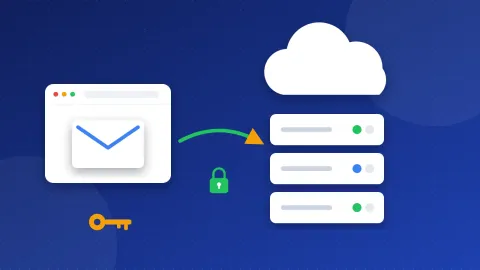
A port is a numbered door on the server. STARTTLS means the connection starts plain on port 587 and then switches on encryption before any password moves. An SMTP token is a long password that Proton makes for one app and one address. You can delete it at any time without touching your main password.
What do I need before I start?
- A paid Proton Mail plan. Proton says SMTP is for all paid plans with custom domain addresses.
- A custom domain set up in Proton, with at least one active address on it. Your own domain, such as
yourdomain.com, is the custom domain. - An SMTP token for that address. You make it in a few clicks.
How do I create an SMTP token?
- In Proton Mail, open Settings and then All settings.
- Go to IMAP/SMTP and find SMTP tokens.
- Click Generate token. Give it a name, such as "WordPress site".
- Choose the custom domain address that will send the mail.
- Click Generate and enter your account password.
- Copy the token and the address right away. Proton shows the token only once.
Make one token per address. If a site uses two sending addresses, make two tokens.
How do I use the Proton Mail SMTP settings in WordPress?
WordPress sends mail through PHP by default, and many inboxes treat that mail as junk. An SMTP plugin routes it through Proton instead. In WP Mail SMTP:
- Install and activate WP Mail SMTP, then open its settings.
- Set From Email to the address you made the token for. Tick Force From Email.
- Choose Other SMTP as the mailer.
- Enter
smtp.protonmail.chas the SMTP Host. - Pick TLS for encryption and 587 as the port. (WP Mail SMTP calls STARTTLS "TLS".)
- Turn on Authentication. Enter the address as the username and the token as the password.
- Save and send a test email from the Tools tab.
FluentSMTP and Post SMTP use the same values. Proton accepts the usual login methods (PLAIN or LOGIN), so the default choice in these plugins is fine.
Can I read Proton Mail in Outlook or on my phone?
Not with SMTP alone. SMTP only sends. Proton encrypts your inbox, so normal IMAP apps cannot read it straight from the server. To read mail in Outlook, Thunderbird or Apple Mail on a computer, Proton points you to Proton Mail Bridge. Bridge is a desktop app for paid plans. It runs a small mail server on your own computer and shows the local settings to type into your app. On a phone, use the Proton Mail app.
What do common SMTP errors mean?
- 535 authentication failed: you used your Proton login password, or the token has a typo. Use the token. If you lost it, delete it and make a new one.
- 535 with a correct token: the username does not match the token. Each token belongs to one address, so use that exact address.
- 550 or 553 sender not allowed: the From address is not the one paired with the token. Set the plugin's From Email to that address.
- 530 must issue a STARTTLS command first: encryption is off. Pick TLS (STARTTLS) on port 587.
- Timeout: your web host blocks port 587. Ask the host to open it, because Proton lists no other port.
Why do my emails land in spam?
Proton can send the message, but your domain records decide whether other inboxes trust it. Three DNS records do most of the work. SPF lists the servers that may send for your domain. DKIM adds a digital signature to each message. DMARC tells inboxes what to do when those checks fail.
Start with our guide what is an SPF record. Then run your domain through the DNS and Email Checker to see which records are missing.
The Proton Mail SMTP settings come down to three things: smtp.protonmail.ch on port 587 with STARTTLS, your custom domain address, and an SMTP token. Make the token first, then run a quick check in the SMTP Tester before your site depends on it. For other providers, see our SMTP settings list.
Frequently asked questions
Can I use Proton Mail SMTP on a free plan?
No. Proton says SMTP is for paid Proton Mail plans with custom domain addresses. A free plan, or an address that ends in a Proton domain, cannot get an SMTP token.
Why does my Proton password not work for SMTP?
Proton does not accept your login or mailbox password for SMTP. You need an SMTP token made in Settings under IMAP/SMTP. The token works only for the address you picked when you made it.
Do I need Proton Mail Bridge to send from WordPress?
No. A website can send through smtp.protonmail.ch with an SMTP token, and Bridge is not needed for that. Bridge is for reading and sending mail in a desktop email app on your own computer.