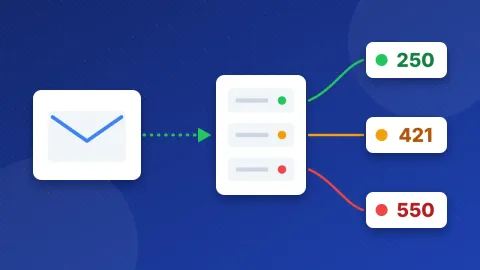
SMTP settings for email providers always come in three parts: a server name, a port with its security type, and a login. Most providers use port 587 with STARTTLS or port 465 with SSL/TLS. The login is your email address with a normal password, an app password, or a special key. The table below lists the exact settings for popular services.
| Provider | SMTP server | Port & security | Login |
|---|---|---|---|
| Gmail | smtp.gmail.com | 587 STARTTLS, 465 SSL/TLS | Gmail address + app password |
| Outlook.com | smtp-mail.outlook.com | 587 STARTTLS | Outlook.com address + modern sign-in (OAuth) |
| Microsoft 365 | smtp.office365.com | 587 STARTTLS | Mailbox address + OAuth; admin turns on SMTP AUTH |
| Yahoo Mail | smtp.mail.yahoo.com | 465 SSL/TLS, 587 STARTTLS | Yahoo address + app password |
| iCloud Mail | smtp.mail.me.com | 587 STARTTLS | iCloud address + app-specific password |
| Zoho Mail | smtp.zoho.com | 465 SSL/TLS, 587 STARTTLS | Zoho address + password or app password |
| cPanel email (your domain) | mail.yourdomain.com | 465 SSL/TLS | Full address + mailbox password |
| Hostinger Email | smtp.hostinger.com | 465 SSL/TLS, 587 STARTTLS | Full address + mailbox password |
| Namecheap Private Email | mail.privateemail.com | 465 SSL/TLS, 587 STARTTLS | Full address + password or app password |
| Proton Mail | smtp.protonmail.ch | 587 STARTTLS | Custom domain address + SMTP token |
| Brevo | smtp-relay.brevo.com | 587 STARTTLS, 465 SSL/TLS, 2525 STARTTLS | SMTP login + SMTP key |
| SendGrid | smtp.sendgrid.net | 587 STARTTLS, 465 SSL/TLS, 2525 STARTTLS | apikey + API key |
The first port in each row is the one our guide for that provider uses. Click a provider name for the full steps, the incoming IMAP and POP settings, and fixes for common errors. For cPanel email, mail.yourdomain.com is only the usual pattern: copy the real name from the Connect Devices page in your own cPanel. Zoho Mail's paid domain plans use smtppro.zoho.com, and Zoho shows region servers in your account.
What are SMTP settings, in plain words?
SMTP is the way email gets sent. When your website, contact form or email app sends a message, it hands it to an SMTP server. That server checks your login and passes the message on to the inbox of the person you wrote to.
To connect, the app needs a few details:
- SMTP server (host): the address of the sending server, such as
smtp.example.com. - Port: a numbered door on that server. Each door works in its own way.
- Security type: how the connection gets locked. SSL/TLS locks it from the first second. STARTTLS starts plain and then switches on the lock before your password moves.
- Username and password: who you are. Some providers want a special password just for apps.
Reading mail is a separate job. IMAP keeps your mail on the server so all your devices match. POP downloads it to one device. Sending-only services such as Brevo and SendGrid have no IMAP or POP at all.
How do I choose the right SMTP settings for email providers?
Start with one question: where does your email address live? There are three common cases.
A personal or business mailbox
This is a service you read and write mail in every day, such as Gmail, Outlook.com, Microsoft 365, Yahoo Mail, iCloud Mail, Zoho Mail or Proton Mail. Use its SMTP settings when you want site mail to come from that same address. These services often ask for extra steps first, such as two-step verification and an app password.
Some also cap how many messages you can send per day, so they suit a small site's contact form better than a newsletter.
Email from your web host
If you bought hosting, you may already have mailboxes on your own domain. cPanel hosts, Hostinger and Namecheap Private Email are in this group. You log in with the full address and its normal password (Namecheap also offers app passwords). This is often the simplest choice for a WordPress site on the same host.
A transactional email service
Brevo and SendGrid are sending services. They do not give you an inbox. They are made for mail your site sends by itself, such as order emails, password resets and sign-up alerts. They use an SMTP key or API key instead of a password, and they ask you to verify your sender or domain before you send.
If you are not sure, use the mailbox that already carries your domain. Move to a sending service when your site sends a lot of mail or your mailbox provider blocks it.
What do ports 465, 587, 2525 and 25 mean?
- Port 587 with STARTTLS is the usual port for sending from apps and websites. SendGrid and Brevo both name it as the default to try first.
- Port 465 with SSL/TLS is locked from the start. Many hosts, such as Hostinger and cPanel servers, use it as their main secure port. Microsoft 365 does not support it. Brevo notes that 465 was once deprecated, but many providers still support it.
- Port 2525 is a spare port that some sending services offer when 587 is blocked. Brevo points out that it is not an official SMTP port, but Brevo and SendGrid both accept it.
- Port 25 is the old port that mail servers use to talk to each other. Many web hosts and internet providers block it for outgoing mail to fight spam. SendGrid advises port 587 to avoid that kind of blocking.
The security type must match the port. Choose SSL for 465 and STARTTLS (often shown as "TLS" in WordPress plugins) for 587 and 2525. A mismatch is one of the most common reasons a connection fails.
Which password or key do I need?
The password field is where most setups go wrong. Here is what each provider type expects:
- Normal mailbox password: cPanel email, Hostinger Email, and Zoho Mail when two-factor sign-in is off.
- App password: a separate password made for one app. Gmail, Yahoo Mail and iCloud Mail need one. Namecheap Private Email offers one, and Zoho Mail needs one once two-factor sign-in is on. Check each guide for the exact rules.
- SMTP token: Proton Mail makes one per custom domain address on paid plans.
- SMTP key: Brevo uses an SMTP key, not your account password and not an API key.
- API key: SendGrid uses the word
apikeyas the username and the key as the password.
Microsoft 365 and Outlook.com prefer modern sign-in (OAuth), where the app opens a Microsoft login window instead of storing a password. For Microsoft 365, an admin must also turn on SMTP AUTH for the mailbox.
Whatever you use, paste it with no spaces before or after.
How do I test SMTP settings before I use them?
Test first, so you do not wait for a contact form email that never comes. Our free SMTP Tester works in two steps. First it checks the connection, the security type and the server's certificate, with no password needed. Then, if you choose, it logs in and sends one fixed test message to one address. It never stores your password.
Each provider guide has a link that fills in the right server and port for you. The tester accepts ports 465, 587 and 2525. It does not test port 25.
If the test fails at step one, the port is likely blocked or the server name is wrong. If it fails at step two, check the username, the password type and the From address.
How do I use these settings in WordPress?
Plugins such as WP Mail SMTP, FluentSMTP and Post SMTP all ask for the same fields:
- Choose the "Other SMTP" or general SMTP mailer.
- Enter the SMTP server from the table above.
- Pick the security type and the matching port.
- Turn on authentication and enter the username and the right password or key.
- Set the From address to the account you log in with, or a verified sender.
- Save and send a test email.
Why do my emails still land in spam?
Correct SMTP settings get your mail out. Your domain's DNS records decide whether inboxes trust it. SPF lists the servers allowed to send for your domain. DKIM adds a digital signature to each message. DMARC tells inboxes what to do when those checks fail.
Read what is an SPF record for the basics. Then run your domain through the DNS and Email Checker to see which records you have and which are missing. Sending services such as Brevo and SendGrid also ask you to authenticate your domain inside their dashboards.
All SMTP settings for email providers follow the same pattern: server, port and security type, then login. Find your provider in the table, open its guide for the details, and check the connection in the SMTP Tester before your site relies on it.
Frequently asked questions
Which SMTP port should I use?
Use the port your provider lists first. In most cases that is 587 with STARTTLS or 465 with SSL/TLS. If both are blocked by your host, a sending service that accepts port 2525 is often the way around it.
Can I use my Gmail or Outlook account to send WordPress emails?
Yes, for a small site. Use the provider's SMTP settings with the login method its guide describes. Personal mailboxes often have daily sending limits, so a busy site is better off with a sending service.
Why does my SMTP login fail when the password is right?
Many providers do not accept your normal password for SMTP. They want an app password, an SMTP token or a key instead. Also check that you typed the full email address and that the security type matches the port.