An SMTP error code is the short answer a mail server gives when it refuses or delays your email. The first digit tells you who has to act: 4 means try again later, 5 means the message was refused and will not go through until something changes. Find your code in the table, then open the error section for your email provider and test the fix with the free tools below.
How to read an SMTP error
A full error often looks like 550 5.7.1 Message rejected. It has three parts:
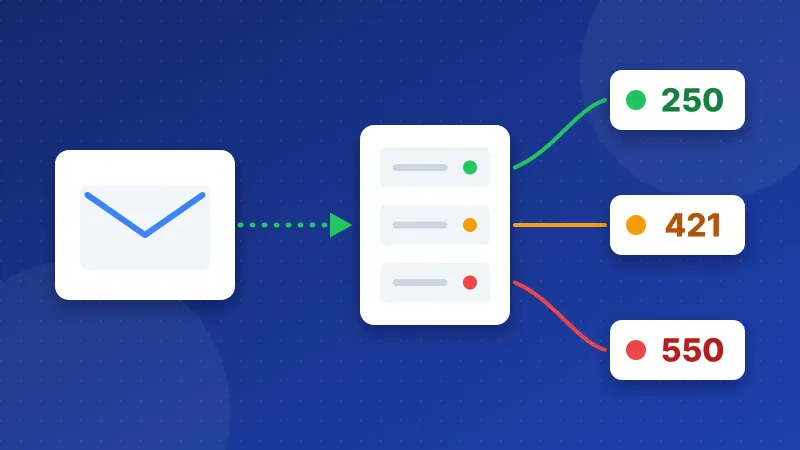
- 550: the basic reply code. 2 = OK, 4 = temporary problem, 5 = permanent problem.
- 5.7.1: the enhanced code. The middle number is the area: 1 = address, 2 = mailbox, 4 = network, 7 = security and policy.
- Message rejected: free text from the server. It often names the real reason, so read it first.
SMTP error code list
| Code | What it means | Usual cause |
|---|---|---|
421Temporary | Service not available, try later | Server busy, too many connections or a rate limit |
450Temporary | Mailbox unavailable for now | Greylisting or the mailbox is busy |
451 4.7.1Temporary | Delayed, try again later | Greylisting or a temporary policy check |
452Temporary | Too many recipients or no space | Recipient limit per message reached |
530 5.7.0Permanent | Authentication required | The app sends without logging in |
535 5.7.8Permanent | Login failed | Wrong password, an app password is needed, or SMTP login is switched off |
550 5.1.1Permanent | Address does not exist | Typo in the address or the mailbox was deleted |
550 5.7.1Permanent | Refused by policy | Relay not allowed, a spam filter or a blocklist |
550 5.7.26Permanent | Unauthenticated sender | SPF or DKIM fails and DMARC tells the receiver to reject |
552 5.2.2Permanent | Mailbox full | The receiver is over quota |
552 5.3.4Permanent | Message too big | An attachment is over the size limit |
553 5.1.3Permanent | Sender address not allowed | The "From" address does not match the login account |
554 5.7.1Permanent | Message rejected | Content or reputation blocked the message |
Each provider explains its own wording for these errors. Pick yours below to jump straight to its error section.
Find the error section for your provider
All providers side by side, with servers and ports, are in the SMTP settings list.
Temporary errors (4xx): wait or slow down
Your mail server keeps a 4xx message in its queue and tries again, usually for a few days. You only need to act when the same 4xx repeats for hours: then the sending server is often sending too fast, or its IP is on a list the receiver checks.
Permanent errors (5xx): something must change
A 5xx message bounces back to you. Sending it again without a change gives the same error. Most 5xx errors fall into three groups: the login (535, 530), the address (550 5.1.1, 553) and trust in your domain (550 5.7.1, 550 5.7.26, 554).
Test before you change settings
For login errors, run the SMTP Tester with the same host, port and account your app uses. For policy errors, run the DNS & Email Checker on your domain: a missing SPF record or a DMARC policy without DKIM causes most 5.7.x bounces.
Frequently asked questions
Is a 4xx SMTP error something I need to fix?
Usually not. The server retries on its own. Act only when the same temporary error repeats for hours.
Why does Gmail say 550 5.7.26?
Gmail could not confirm that the message really comes from your domain. Check that SPF includes your sending service and that DKIM is switched on.
Can the SMTP Tester send email for me?
No. It tests the connection, and if you open "Send a test email" it signs in and sends one short, fixed test message to an address you choose.