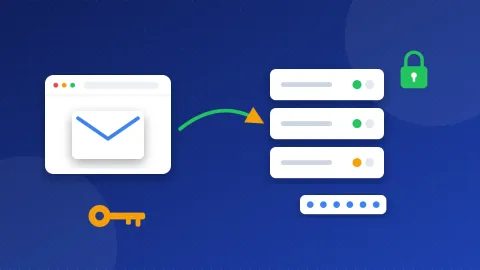
The cPanel email SMTP settings for most accounts are: outgoing server mail.yourdomain.com, port 465 with SSL/TLS, and your full email address with its normal password. Your host may show its own server name instead. Always copy the exact name from the Connect Devices page in your own cPanel.
| Setting | Value | Notes |
|---|---|---|
| SMTP server | mail.yourdomain.com or your server's host name | Copy it from Connect Devices in cPanel |
| Port and security | 465 with SSL/TLS | The secure setting in cPanel's docs |
| Other port | 587 | cPanel lists it under its non-SSL settings; use it only if your host says so |
| Username | Your full email address | For example you@yourdomain.com |
| Password | The normal password of that mailbox | No app password needed |
| Incoming IMAP | mail.yourdomain.com, port 993, SSL/TLS | Best choice for most people |
| Incoming POP3 | mail.yourdomain.com, port 995, SSL/TLS | Downloads mail to one device |
Once you have your real server name, test these cPanel SMTP settings in the free SMTP Tester. Change the host to the one your cPanel shows. The tester checks the connection and the security certificate without your password. If you want, it can also log in and send one test message.
What do SMTP, IMAP and the other terms mean?
A few short words do a lot of work on this page. Here they are in plain English:
- SMTP is the way email gets sent. Your website or email app hands each message to an SMTP server, and that server passes it on.
- IMAP is a way to read mail. Your messages stay on the server, so your phone and laptop show the same inbox.
- POP (POP3) is an older way to read mail. It downloads messages to one device and may remove them from the server.
- A port is a numbered door on the server. Each kind of mail traffic uses its own door.
- SSL/TLS locks the connection from the first second, like a sealed envelope. Port 465 works this way.
- STARTTLS starts as a normal connection and then switches on the lock. Port 587 usually works this way.
Where do I find my own server name in cPanel?
cPanel builds the server name for each account, so nobody can give you one name that fits every host. Use the page cPanel made for your mailbox:
- Log in to cPanel.
- Open Email and then Email Accounts.
- Find your mailbox and click Connect Devices next to it.
- Look at the box called Secure SSL/TLS Settings. Copy the outgoing server, the port and the username.
On the newer cPanel look, open Email, click Manage next to the account, open Webmail and pick the option to set up your device. Some hosts switch this page off. In that case, ask your host for the mail server name.
Why is my server name not mail.yourdomain.com?
cPanel's docs explain the rule. If your domain has a valid SSL certificate, the server name uses your domain. If not, cPanel shows the server's own host name, such as a long name ending in your host's domain. Use exactly what the page shows. A wrong name often gives a certificate warning. Also, mail.yourdomain.com only works when your domain points to this hosting.
How do I use the cPanel email SMTP settings in WordPress?
WordPress sends mail through PHP by default, and those emails often go missing. An SMTP plugin fixes that by sending through your real mailbox. In WP Mail SMTP, follow these steps:
- Install and activate WP Mail SMTP, then open its settings.
- Set From Email to the mailbox you made in cPanel. Tick Force From Email.
- Choose Other SMTP as the mailer.
- Enter your server name from Connect Devices as the SMTP Host.
- Pick SSL for encryption and enter 465 as the port.
- Turn on Authentication. Enter your full email address and the mailbox password.
- Save, then send a test email from the plugin's Tools tab.
FluentSMTP and Post SMTP ask for the same things with slightly different labels. If you use a Gmail account instead of your domain email, see our Gmail SMTP settings page.
How do I add the account to an email app or phone?
Outlook, Thunderbird, Apple Mail and phone mail apps all ask for the same details. Choose IMAP, enter mail.yourdomain.com (or your host name) with port 993 for incoming mail. Use the same server with port 465 and SSL for outgoing mail. Your username is the full email address. Turn on login for the outgoing server too, because cPanel requires it for sending and receiving. cPanel's docs suggest IMAP over POP3, since POP3 can remove mail from the server after download.
What do common SMTP errors mean?
- 535 authentication failed: the username or password is wrong. Use the full email address, not just the first part. If you changed the password in cPanel, update it in the plugin too.
- Certificate or name mismatch: the server name does not match the certificate. Copy the exact name from Connect Devices.
- Timeout or "could not connect": the port is blocked, often by your web host or network. Try the other port your host lists, or ask the host which ports are open.
- 550 or 553 sender not allowed: the From address does not belong to the mailbox you logged in with. Make the From Email match your login.
Why do my emails land in spam?
Good SMTP settings get your mail out. Your domain's DNS records decide whether other servers trust it. Three records matter most. SPF lists the servers that may send for your domain. DKIM adds a digital signature to each message. DMARC tells inboxes what to do when those checks fail. Our guide what is an SPF record explains the first one. The DNS and Email Checker shows which records your domain has and which are missing.
Your cPanel email SMTP settings come from one place: the Connect Devices page of your own account. Copy the server name, use port 465 with SSL, and log in with the full address. Then run a quick check in the SMTP Tester before you trust your contact form. For other providers, see our SMTP settings list.
Frequently asked questions
Is the cPanel SMTP server always mail.yourdomain.com?
No. It is the most common name, but cPanel shows your server's host name when your domain has no valid SSL certificate. Your host can also use its own names. The Connect Devices page always shows the right one for your account.
Should I use port 465 or 587 with cPanel email?
cPanel's docs list 465 with SSL/TLS as the secure setting, so start there. They list 587 under the non-SSL settings. Use 587 only if your host tells you to, or if 465 is blocked on your network.
Do I need an app password for cPanel email?
No. cPanel mailboxes use the normal password you set in Email Accounts. If you forget it, you can set a new one there. Remember to update it in every app and plugin that uses the mailbox.