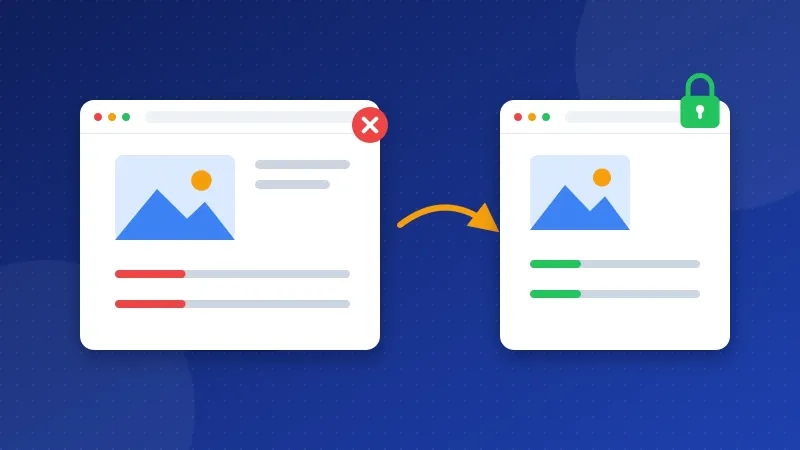
To fix mixed content warnings, find every file your https page still loads over plain http and change its address to https. The browser console lists these files for you. Then update your theme, your posts and your database, and add a redirect so every old http link lands on the secure page.
HTTPS is the secure version of a web address, shown by the padlock in the address bar. It needs an SSL certificate, a small file on your server that proves your site is who it says it is. Mixed content means the page itself uses https, but some images, scripts or fonts inside it still come over http.
What is mixed content and why does it matter?
Anyone on the network can read or change an http file on its way to the visitor. So browsers treat it as a weak spot in your secure page. MDN explains what modern browsers do with it:
- Images, audio and video get upgraded. The browser tries the https address instead. If that address works, the file loads.
- Scripts, stylesheets, frames and fonts get blocked. Your menu may stop working, or the layout may fall apart.
Mixed content also matters for Google. Google says it prefers https pages as the main version, unless they have problems such as insecure files inside them. Clean pages help Google pick the right address.
Step 1: Turn on HTTPS and keep it fresh
Most hosts give you a free certificate from Let's Encrypt or a similar service. In cPanel, look for SSL/TLS Status or AutoSSL. In hPanel or Plesk, look for SSL under Security. Turn it on for both your main address and the www version.
The certificate must cover every name your visitors use. If it covers yoursite.com but not www.yoursite.com, visitors on the www address see a warning that the name does not match. Most free certificates can cover both names, so tick both boxes when you set it up.
Then check that auto-renew is on. An expired certificate shows visitors a full-page warning, which is far worse than mixed content. If the checkup says your certificate expires soon, renew it in the same panel.
Step 2: Find the mixed content
You cannot fix what you cannot see. Use one or more of these ways:
- Browser console. Open the page in Chrome, press F12 and click Console. Each mixed content line names the http file. The list only covers the page you are on, so check your main page types one by one.
- A checker tool. The Mixed Content Checker scans a page and lists every http file with the tag that loads it.
- The page source. Press Ctrl+U and search for
src="http://andhref="http://. Plain links to other pages are fine; files that load into the page are the problem.
Look for patterns as you go. If every page shows the same http logo or font, the cause sits in your theme, so one edit fixes the whole site. If only some posts show warnings, the cause is usually old images inside those posts.
Step 3: How to fix mixed content warnings, file by file
Now change each http address. Where it lives decides how you fix it. Make a backup first; our guide to website backup basics shows quick ways.
Theme and template files
Open the files that build your page, such as header.php or footer.php. Change http://yoursite.com/ to https://yoursite.com/. For your own files, a root-relative address like /images/logo.png works too, and it never needs changing again. Also check your CSS files for url(http://.
WordPress posts and settings
First, open Settings, then General. Make sure both the WordPress Address and the Site Address start with https. Old posts still hold http image links in the database. If your host gives you WP-CLI, a command-line tool for WordPress, run a test first:
wp search-replace 'http://yoursite.com' 'https://yoursite.com' --dry-run
If the count looks right, run it again without --dry-run. No command line? A search-and-replace plugin does the same job from the dashboard. Plain HTML or PHP sites can use the search and replace option in a code editor.
Files from other sites
Some files come from other servers, like an old widget or font. Try the https version of the address in your browser. web.dev advises that if no https version exists, you should load the file from another host, host it yourself if the license allows it, or remove it.
Step 4: Redirect http to https
A redirect sends anyone who opens an old http address to the https page. A 301 redirect says the move is permanent, so Google moves its signals to the new address. On Apache or LiteSpeed, add these lines to .htaccess in your main web folder:
RewriteEngine OnRewriteCond %{HTTPS} offRewriteRule ^ https://%{HTTP_HOST}%{REQUEST_URI} [L,R=301]
On Nginx, the port 80 server block needs return 301 https://$host$request_uri;. To build rules that also handle www, use the .htaccess Redirect Generator.
On Cloudflare, switch on Always Use HTTPS under SSL/TLS, then Edge Certificates. Cloudflare warns that adding a second redirect on your own server can cause a redirect loop, so pick one place.
Is there a quick safety net?
Yes, two of them. Use them to catch stray files, not to replace the real fix.
- A browser hint. Add
<meta http-equiv="Content-Security-Policy" content="upgrade-insecure-requests">to the head of your pages. Browsers then try https for every file. A file with no https version simply fails to load. - Cloudflare rewrites. Automatic HTTPS Rewrites changes http links to https as pages pass through Cloudflare. It cannot fix files that scripts load later.
How do you check that the fix worked?
Clear any cache plugin or Cloudflare cache first. Then reload the page with Ctrl+F5 so the browser skips its stored copy. The padlock should show, and the Console should have no mixed content lines. Then type your address with http:// and confirm you land on https. When everything is secure, you can go one step further with HSTS and security headers.
Once you fix mixed content warnings on your main pages, the rest of the site usually follows, because most files come from the same theme. Run the free Website SEO Checkup again to confirm the HTTPS, certificate, redirect and mixed content checks all pass.
Frequently asked questions
Does mixed content hurt my SEO?
It can. Google prefers secure pages, and insecure files can make it doubt your https version. Broken scripts or missing images also hurt visitors, which hurts your site over time.
Why do I still see warnings after I changed the links?
Your browser, your cache plugin or Cloudflare may still serve the old copy. Clear the cache in each place and reload with Ctrl+F5. If the warning stays, a script may add the http file after the page loads.
Should I use links that start with // instead of https://?
No, write the full https address. Links that start with // were a trick for sites that ran on both http and https. Your site should now run on https only.