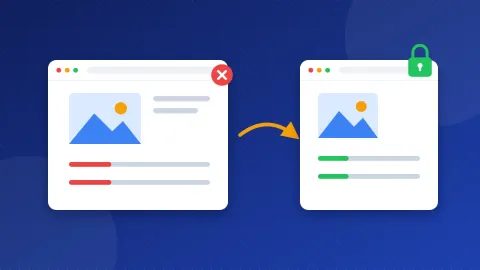
Here is how to add an HSTS header in short: make sure HTTPS works on every page, then add one line to your server settings that tells browsers to use HTTPS for a year. On Apache or LiteSpeed hosting, that line goes in your .htaccess file. Three more short lines add the basic security headers the Website SEO Checkup looks for.
A header is a short note your server sends with every page, before the page itself. Visitors never see it, but browsers read it and follow it. HSTS stands for HTTP Strict Transport Security. It is one of these notes, and it says "always use the secure https version of this site".
What is HSTS and why does the checkup flag it?
When someone types your address without https, the browser first asks for the plain http version. Your server then redirects it to https. That first trip is not protected. On public Wi-Fi, an attacker could change it and send the visitor somewhere else.
With HSTS, the browser remembers your site after the first secure visit. Next time, it goes straight to https and skips the open trip. MDN explains that visitors also cannot click past a certificate warning on an HSTS site, which protects them from fake pages.
The checkup marks HSTS as LOW priority. It will not lift your rankings on its own. Google does say that HSTS can help it pick your https pages as the main version, so it is a nice extra once HTTPS is solid.
Is your site ready for HSTS?
HSTS has one big risk. Browsers remember it for as long as you tell them. If your HTTPS breaks during that time, visitors cannot reach your site at all. So check these four things first:
- Your SSL certificate is valid. The padlock shows on every page, and auto-renew is on in your hosting panel.
- http goes to https. Type
http://yoursite.comand check that you land on the https page. - No mixed content. Every image, script and font loads over https. Our guide on how to fix mixed content on HTTPS shows how to find the stragglers.
- You have a backup. Save a copy of .htaccess before you edit it. See website backup basics if you have never done this.
How to add an HSTS header on your server
The value max-age=31536000 means one year, counted in seconds. That is the setting the checkup asks for. Pick the steps for your setup below.
Apache or LiteSpeed (most shared hosting)
The .htaccess file lives in your main web folder, usually public_html. In cPanel, open File Manager, click Settings and tick "Show hidden files". Open .htaccess and add these lines near the top:
<IfModule mod_headers.c>Header always set Strict-Transport-Security "max-age=31536000"</IfModule>
The first and last lines make the rule safe: if your server lacks the headers module, it skips the rule instead of showing an error. WordPress sites use the same file, so you do not need a plugin for this.
Some hosts, such as those with hPanel or Plesk, also have a security or headers screen in the panel. If yours does, you can use it instead of editing the file. Pick one place only, so the server does not send the header twice with two different values. Two copies can confuse browsers and testing tools.
Nginx
Nginx has no .htaccess file. Open your site's server block for port 443 and add this line:
add_header Strict-Transport-Security "max-age=31536000" always;
Test the settings with sudo nginx -t, then reload with sudo systemctl reload nginx. On managed hosting, ask support to add it for you.
Cloudflare
If your site runs through Cloudflare, you can skip the file edit. In the dashboard, open SSL/TLS, then Edge Certificates. Find HTTP Strict Transport Security (HSTS) and choose Enable HSTS. Cloudflare's guide walks through the dialog. Set Max Age to 12 months and leave subdomains and preload off.
Why leave out includeSubDomains and preload?
You will see longer HSTS lines online with two extra words. Beginners should skip both for now.
- includeSubDomains applies the rule to every subdomain, like mail.yoursite.com or an old test site. If one of them has no certificate, it stops working for your visitors.
- preload asks browsers to build your site into their own list. MDN notes that it needs a max-age of at least 31536000 plus includeSubDomains. Getting off that list later is slow.
Add them only when you know every subdomain runs on HTTPS and you plan to keep it that way.
Which other security headers should you add?
The checkup also looks for three simple headers. They block a few common tricks, and they almost never break a normal blog or small business site.
| Header | What it does | Safe value |
|---|---|---|
| X-Content-Type-Options | Stops the browser from guessing file types | nosniff |
| X-Frame-Options | Stops other sites from showing your pages in a frame | SAMEORIGIN |
| Referrer-Policy | Limits what your links tell other sites | strict-origin-when-cross-origin |
A frame is a box that shows one web page inside another. Attackers use hidden frames to trick people into clicking buttons on your site. For .htaccess, add these lines inside the same IfModule block:
Header always set X-Content-Type-Options "nosniff"Header always set X-Frame-Options "SAMEORIGIN"Header always set Referrer-Policy "strict-origin-when-cross-origin"
On Nginx, write each one as add_header plus the name, the value in quotes and always;. The OWASP Secure Headers Project suggests even stricter values. SAMEORIGIN is gentler than DENY because your own site can still frame its own pages. If you want ready-made lines for your server, the Security Headers Generator writes them for you.
You may also read about Content-Security-Policy. It is powerful, but one wrong rule can block your own ads, fonts or scripts. Leave it for later.
How do you check that the headers work?
- Open your site in Chrome and press F12 to open DevTools.
- Click the Network tab and reload the page.
- Click the first row, which is the page itself, and open Headers.
- Under Response Headers, look for
strict-transport-securityand the three other names.
If you see an "Internal Server Error" after your edit, put back your saved .htaccess and ask your host to turn on mod_headers. Browsers ignore HSTS on plain http pages, so always test the https address.
That is how to add an HSTS header and the three basic security headers without risk. Once they show in DevTools, run the free Website SEO Checkup again to confirm both checks pass.
Frequently asked questions
Does HSTS help my Google rankings?
Not directly. HSTS protects visitors and helps Google treat your https pages as the main version. Rankings still depend on content, links and a page that works well.
What happens if my SSL certificate expires after I add HSTS?
Visitors who saw the header will get a hard error page with no way to click through. That is why auto-renew must be on before you add HSTS. Renew the certificate and the site works again.
Can I turn HSTS off later?
Yes, send the header with max-age=0 over HTTPS. Each browser forgets the rule on its next secure visit. Browsers that never come back keep the old rule until it runs out, so plan before you add it.