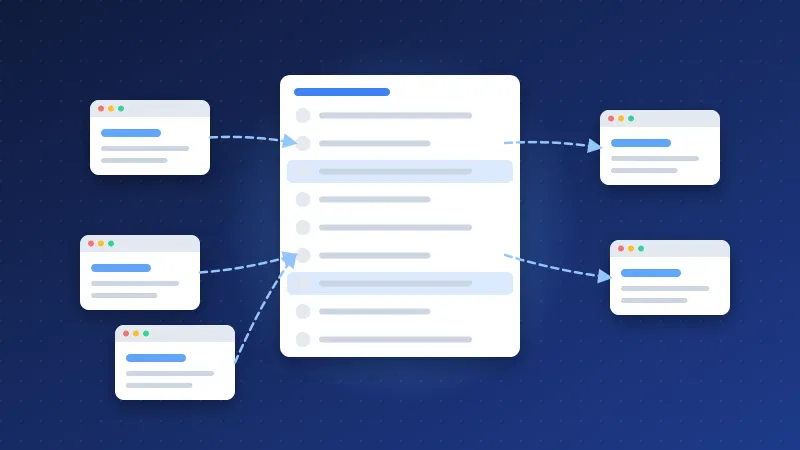
The best internal linking structure for a list-based website is a three-level pyramid: one hub page links to every list, each list links to the individual site or detail pages it contains, and every detail page links back up to its lists and across to a few related items. Breadcrumbs, related-list blocks and a small footer support that structure; automatic links fill gaps but should never replace it.
List sites, such as directory lists, tool roundups, resource libraries and "best of" collections, have a specific problem. They produce many similar pages quickly, and without a clear structure Google cannot tell which ones matter. Here is a model that works and that you can copy.
Hubs, lists and detail pages: the basic model
Think of the site in three layers. Bloghints uses exactly this pattern, and it suits any site that collects and organises other websites or resources.
| Level | Example | Main job | Links out to |
|---|---|---|---|
| Hub | Webmaster lists | Index of every list, grouped by type | All list pages |
| List | Free directory list, local business directories | Ranks for broad "list of X" searches | Detail pages in the list, sibling lists, the hub |
| Detail | A single site or tool profile | Ranks for "[site name] review" or "is [site] worth it" searches | Parent lists, two to five related items |
The rule that holds it together: every page has exactly one clear parent and is reachable from the homepage in three clicks or fewer. The homepage links to the hub (and to your most important lists), the hub links to every list, and every list links to its items.
Group the hub by intent, not alphabetically. Webmasters looking for "free" options, "local" options or "instant approval" options think in categories, so the hub should too. Each group heading with a short sentence under it also gives Google context about what the linked lists contain.
Which pages should get the most internal links?
Internal links are how you tell search engines which pages you consider most important. On a list site, the distribution should roughly follow this order:
- The hub: linked from the main navigation on every page.
- Your top lists: the ones that match the biggest searches and convert best. Link them from the top nav or sidebar, the hub, related lists and relevant blog posts.
- Supporting lists and guides: linked from the hub, sibling lists and contextual mentions.
- Detail pages: linked from their lists and from related detail pages. Do not link every detail page from the sidebar or footer.
A useful check is to compare where your links point with where your search traffic potential is. If a beginner guide gets links from every page while your main list gets five, the structure is working against you. Fix that by moving the main list into navigation and adding it to related blocks.
Contextual links from articles are still the most valuable. A blog post about local SEO that links to your local directory list with clear anchor text carries more meaning than a hundred identical sidebar links. Google's link guidance asks for descriptive, concise anchor text, and that applies to internal links as much as to external backlinks.
Breadcrumbs, related lists and footers
Breadcrumbs show the path from the homepage, such as Home › Webmaster lists › Free directory list. They give every page an automatic link to its parent and hub, help visitors move up a level, and can be marked up with BreadcrumbList structured data, which Google can show in search results. Make sure the breadcrumb is real HTML links, not just text.
Related lists are a short block, usually three to six links, at the end of a list or detail page. Build them from shared categories or tags rather than "latest posts", so the links stay relevant. On a detail page, show the parent lists first, then a few similar items.
Footers should stay small. Three or four columns with the hub, your top lists, key guides and site pages (about, contact, submit) is plenty. Long footers with dozens of keyword-rich links add little value, look spammy to users and make every page's link profile identical.
Sidebars on a list site work well for a short "popular lists" block. Keep it to the pages you actually want to push, and change it when priorities change.
Automatic internal links: rules that don't look spammy
Many CMSs, including custom ones, can turn a keyword into a link automatically. Done carefully, this keeps new content connected. Done carelessly, it creates pages full of identical blue links. Rules that keep it clean:
- One link per target per page, on the first natural mention only.
- A cap per page, for example three to five automatic links per 1,000 words.
- Never link a page to itself, and never place automatic links in headings, buttons or the first sentence.
- Use a phrase list, not single words. "Local business directory" is a good trigger; "directory" alone is not.
- Manual links win. If an editor has already linked the target, the automatic rule should skip it.
- Review quarterly. Check that each target is still the best page for that phrase.
Automatic links are a safety net for long-tail content. Hub, list and breadcrumb links do the heavy lifting.
How to measure an internal linking structure for a list-based website
You do not need paid tools to see whether the structure works. Use these checks:
- Search Console Links report. Under internal links, "Top linked pages" shows how many internal links Google has found per page. Your hub and top lists should be near the top. Detail pages with almost no links are near-orphans.
- Page indexing report. Detail pages stuck in "Discovered – currently not indexed" often lack strong links from lists.
- Performance report. After restructuring, compare impressions and clicks per page against the period before. Allow several weeks, since Google needs to recrawl the affected pages.
- A free crawl. A crawler from our SEO tools list shows click depth. Anything deeper than three clicks from the homepage is a candidate for a better link.
Change one thing at a time where you can, such as adding a related-lists block or moving a list into the nav, and annotate the date. That way you can link changes in the data to what you did.
A good internal linking structure for a list-based website is simple to describe: hub at the top, lists in the middle, detail pages at the bottom, with breadcrumbs, related blocks and careful automatic links tying them together, and Search Console data telling you where to adjust.
Frequently asked questions
How many links should a list page have?
As many as the list genuinely contains, as long as the page stays useful and fast. Google can handle pages with a large number of links. If a list grows very long, split it into sub-lists by category and link those from the hub.
Should detail pages link to each other?
Yes, but selectively. Two to five related items in the same category help visitors and spread link signals. Linking every detail page to every other one adds noise and dilutes the links that matter.
Do footer links count as internal links for SEO?
Yes, Google follows them like other links, but site-wide links say little about any single page because they appear everywhere. Use the footer for navigation basics and rely on hub, list and contextual links for relevance.